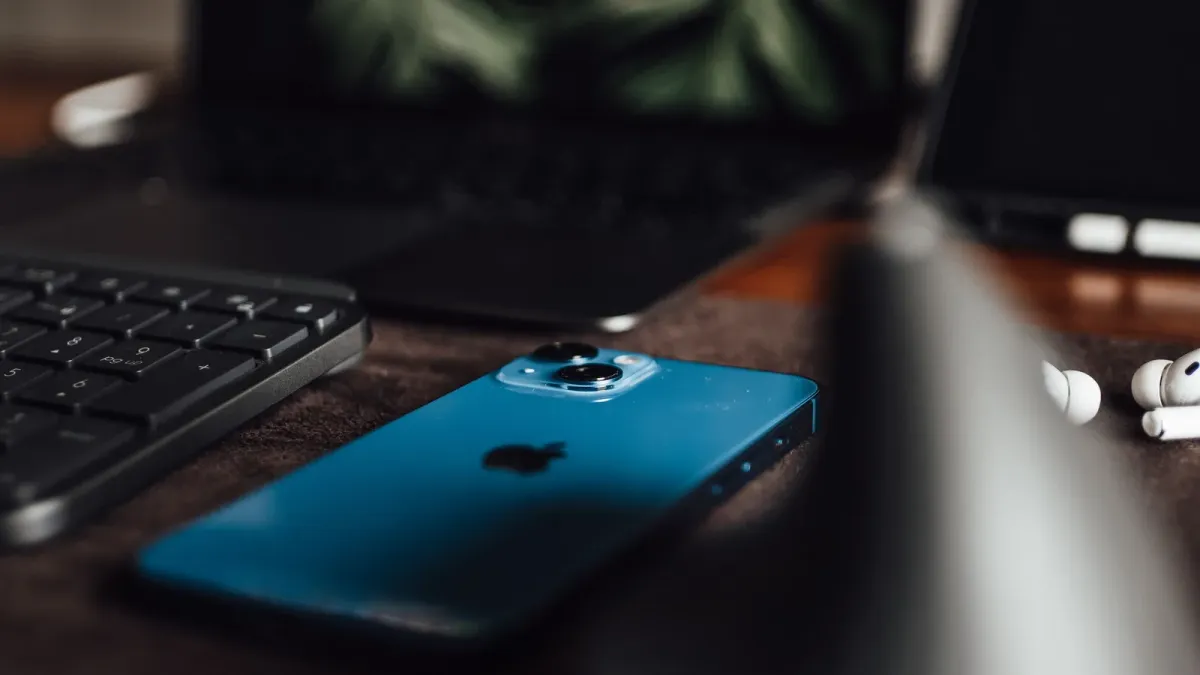
We came across App Clips recently and realized how little we knew about them beyond the name. An App Clip runs part of an iOS app with no install: the person never visits the App Store, downloads anything, or creates an account. They do the one thing they came to do and move on, and the software removes itself later without being asked.
App Clips have existed since iOS 14 in 2020, and Apple is still adding to them, most recently in June 2025.1
How it works
An App Clip is a second, smaller build of an app that already exists, made from the same project and sharing that app’s code.2
That smaller build compiles down to its own binary, and that is what makes an install unnecessary: someone runs the clip without installing the full app, and the system removes it from the device after a period of inactivity.3
Everything depends on that binary staying small, so the size limit is the constraint that decides what an App Clip can be. It varies by iOS version and by how the clip is launched: 10 MB on iOS 15 and earlier, 15 MB on iOS 16 and earlier. iOS 17 raises the ceiling to 100 MB, but only for clips launched digitally, from a website or Spotlight, and never from an App Clip Code, a QR code, or an NFC tag. The one route that keeps those physical launches at 100 MB is the demo link App Store Connect generates.
If a tapped link can run part of an app, it is fair to wonder what stops any link from running anything. Apple reviews every app on the store, and a clip ships as part of one.4 Launching one is governed separately and checked every time: a developer has to prove they own the domain a link points at, by publishing a file on it that names the App Clip allowed to launch from there.5 It is the same mechanism behind a link that opens an app instead of a browser page.
Which leaves the question of whether a clip is a substitute for an app or an addition to one. Apple settles it by requiring the full app to contain everything the clip offers, so a clip is a way to hand someone the useful part of an app before they commit to the rest.6 People can reach one eight different ways, from a QR code or an NFC tag to a link shared in Messages.7
How it is used in the real world
The public record here is thin, but named deployments exist, and they sort into three kinds: reached at a physical place, sent to someone who is not the customer, and offered as a trial.
ExxonMobil
ExxonMobil put tap to pay at the pump in 2020, one of the examples Apple advertised from day one. The Apple Store used a barcode scan in its own stores to pull up accessory details in 2021, and ParkWhiz put an NFC tag at the spot so someone could pay without installing anything. Panera Bread sits off to the side of this group: its ordering flow comes through Apple Maps rather than something you scan.
SignEasy
SignEasy lets someone sign a document that was sent to them, with no install required of the signer. Parcel tracks a single package from a shared link. Flash Note Cards makes and shares cards inside a conversation.8 None of those people are the customer. They were handed a thing and needed to deal with it, the strongest argument for the whole feature, and not the one Apple leads with.
Elloveo
Elloveo, a free trial of a children’s science app, is the single early example on record.8 It is also the kind of use Apple has invested in most recently, which is what the June 2025 demo work is for.
What every one of them shares, across all three kinds, is that the task happens to finish in about a minute, a pattern in what has been built so far, not a limit Apple sets.
No source reports an install lift, a conversion rate, or a completion figure for any of them. We looked specifically for outcomes: a search for App Clip campaign results returns marketing case studies about other things entirely, and a search for App Clip business results returns mobile-ordering and micromobility material with no App Clips in it. We would rather report that absence than dress up unrelated statistics as evidence.
Both sources are dated: the Heady teardown is from March 2021 and the AppleInsider piece is from December 2022.89 Nothing comparable has surfaced since.
Where it might fit next
Picture the same kind of task wherever it lands next: a diner ordering without installing anything, a driver tapping to pay at the pump, someone trying one level of a game before deciding whether to buy the rest. An App Clip fits a task that small and that self-contained, and stops fitting the moment it needs to remember who you are or run while nobody is looking, both hard platform limits.
The case worth watching is try before you buy on the devices carrying a LiDAR scanner. This already works inside a full app: point the camera at the room and the sofa appears at true scale, sitting behind the coffee table rather than floating in front of it. As an App Clip the same thing would run straight from the product page, with nothing installed and nothing left behind once the decision is made.
Two constraints decide where that works. LiDAR narrows the audience to the devices that have it, so accurate placement is an enhancement rather than the whole experience. And while putting a sofa in your living room sounds like the in-person scenario App Clips were sold on, the 100 MB ceiling belongs to clips launched digitally, and a 3D model is heavy. The door that fits is the product page rather than a code printed on a showroom tag, unless the clip ships through the demo link, which is the one physical route Apple allows the larger budget.
Tell us what it was like
If you have built an App Clip, or scoped one and decided against it, the useful part is what documentation never captures: what App Store Connect was like to configure, whether people found the thing at all, whether it moved installs or replaced them, and what you would not do again. A report that it was not worth building is as useful as one that it was.
Leave a comment, or bring it to Discord if it turns into a longer conversation.
Cover photograph by Douglas Mendes on Pexels.10
Footnotes
-
Apple, “App Clips updates,” Apple Developer Documentation, read August 10, 2026. The June 2025 entry covers demo App Clips, the autogenerated demo URL, and Background Assets: developer.apple.com ↩
-
Apple, “Creating an App Clip with Xcode,” Apple Developer Documentation, read August 10, 2026. Source of the target-based architecture and the guidance to share code between the App Clip and the full app rather than duplicate it, refactoring to modular, shared code “to avoid duplicating code”: developer.apple.com ↩
-
Apple, “App Clips,” Apple Developer Documentation, read August 10, 2026. Source of the inactivity-removal behavior: developer.apple.com ↩
-
Apple, “App Review Guidelines,” Apple Developer Documentation, re-read August 11, 2026. Source of the review requirement: “every app is reviewed by experts.” The document names App Clips twice, requiring that “all App Clip features and functionality must be included in the main app binary” and that they carry no advertising. It does not say when review happens, so no timing is claimed above: developer.apple.com ↩
-
Apple, “Supporting associated domains,” Apple Developer Documentation, read August 10, 2026. Source of the
apple-app-site-associationfile format and theappclipskey that authorizes a domain to launch a given App Clip: developer.apple.com ↩ -
Apple, “Choosing the right functionality for your App Clip,” Apple Developer Documentation, read August 10, 2026. Source of the size ceiling, the demo-link conditions, the requirement that “the full app must include the same functionality as the App Clip,” and the background and privacy limits: developer.apple.com ↩
-
Apple, “Configuring App Clip experiences,” Apple Developer Documentation, read August 10, 2026. Source of the eight invocation methods: developer.apple.com ↩
-
Heady, “The App Clips Playbook: 5 Inspiring Examples and Teardowns,” March 17, 2021. Source of the ParkWhiz, SignEasy, Parcel, Elloveo, and Flash Note Cards examples. Notably it reports no outcome figures for any of them: heady.io ↩ ↩2 ↩3
-
Lila Riesen, “What happened to Apple’s App Clips,” AppleInsider, December 11, 2022. Source of the ExxonMobil, Apple Store, and Panera Bread examples: appleinsider.com ↩
-
Cover photograph by Douglas Mendes on Pexels, used under the Pexels License: pexels.com/photo/14666034 ↩
From the author
GBTI NetworkWe wrote this article because the topic of App Clips crossed our desk. We were impressed by what the tool can do, and curious how other projects are using it in their iOS applications. Thanks for reading. We hope you learned something new today.
0 Comments
Comments are for members. Become a member to join the conversation, or if you already are.
You are signed in as a member. .