



Advanced Taxonomy Manager
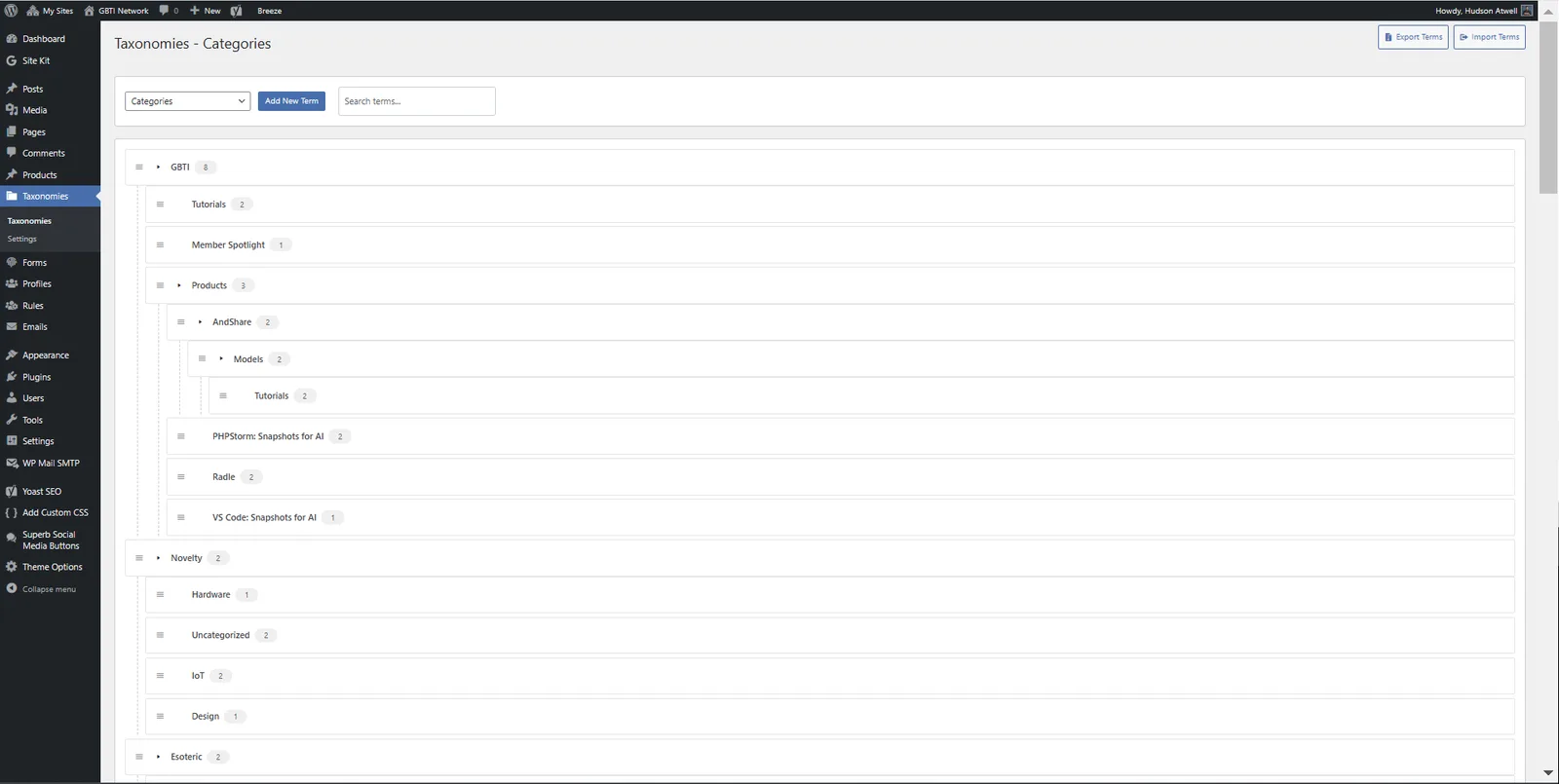
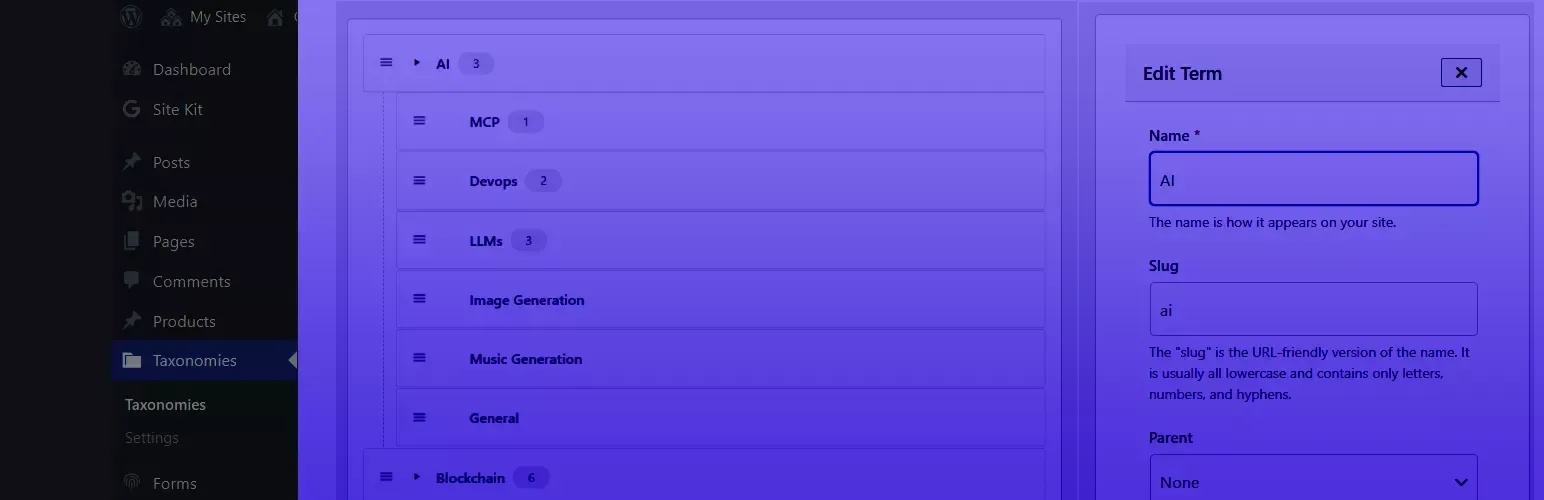
Advanced Taxonomy Manager brings a modern interface to WordPress taxonomy management.
It is now completely free on the WordPress plugin directory. The earlier category-only tool (Better Category Manager) was merged into it, so the full drag-and-drop taxonomy experience that was once a network perk is now available to everyone at no cost.
Features
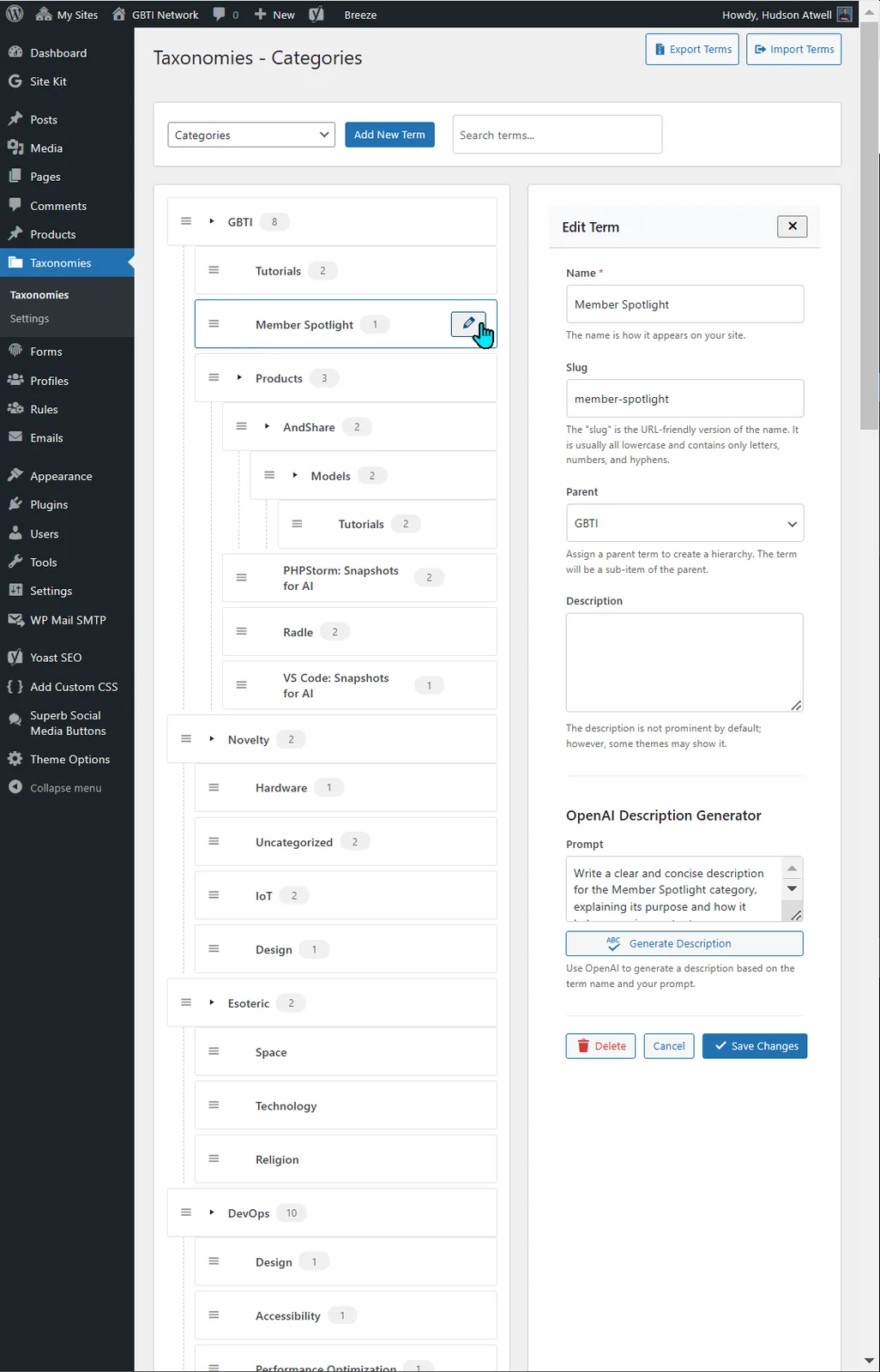
- Manage priority and nesting through drag and drop UI capabilities.
- Enjoy an improved UI that leverages AJAX to avoid hard refreshes
- Quickly export and import taxonomy terms.
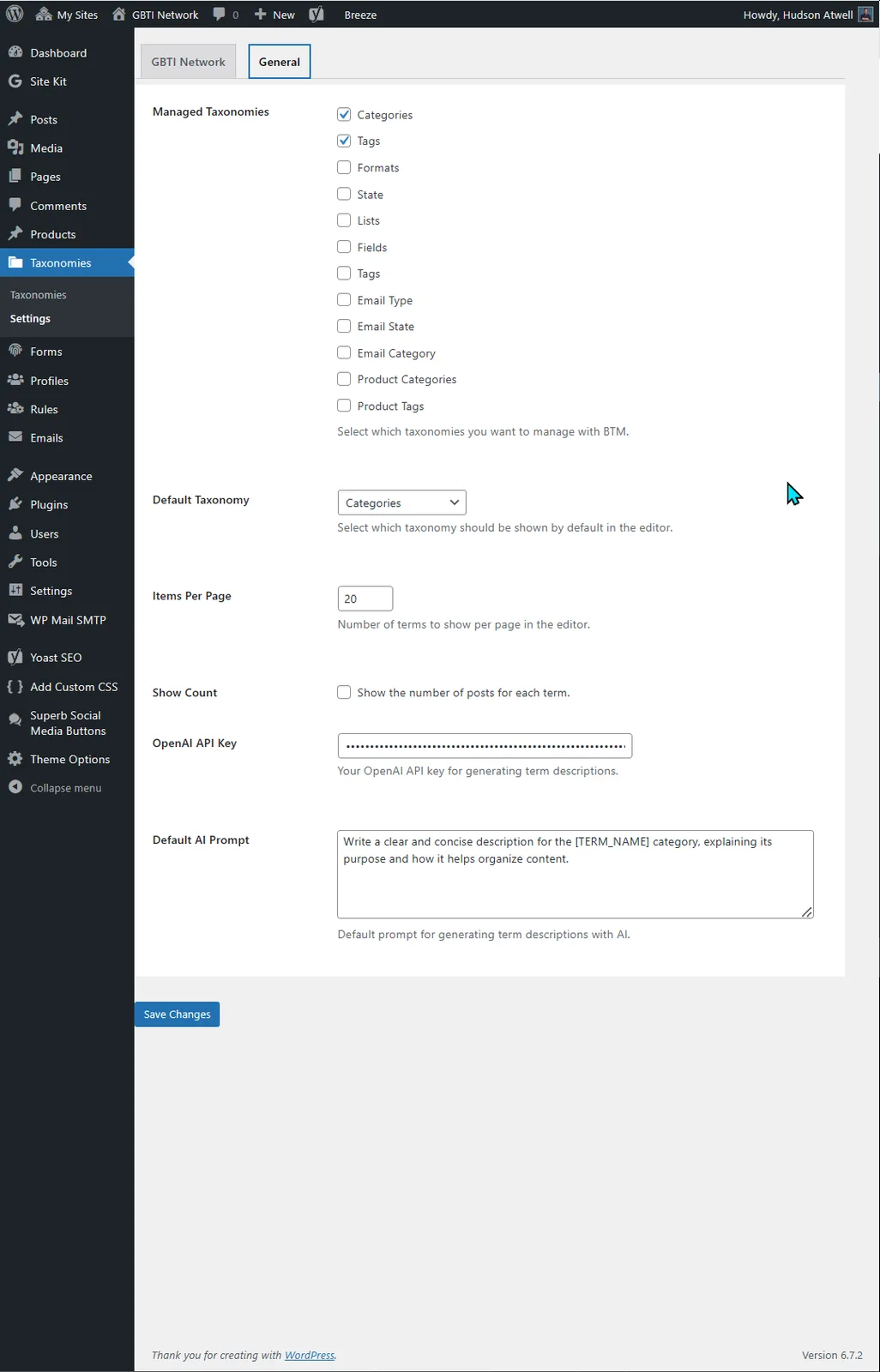
- Generate taxonomy term descriptions with AI using your own OpenAI API key.
From the author
atwellpubWe built Advanced Taxonomy Manager because managing WordPress taxonomies should not feel like a chore. The native interface is clunky, and organizing large taxonomy trees requires constant page refreshes. This tool gives you drag-and-drop priority management, AJAX-powered interactions that stay responsive, and quick import and export workflows. If you work with WordPress sites that have complex category or tag structures, this is for you in the network.
0 Comments
No comments yet. Be the first. Members comment from the GBTI local client, where comments are submitted as pull requests and auto-published for paid members.
Become a memberMembers write comments from the GBTI client or browser extension. Become a member to join the conversation.
You are signed in as a member. .