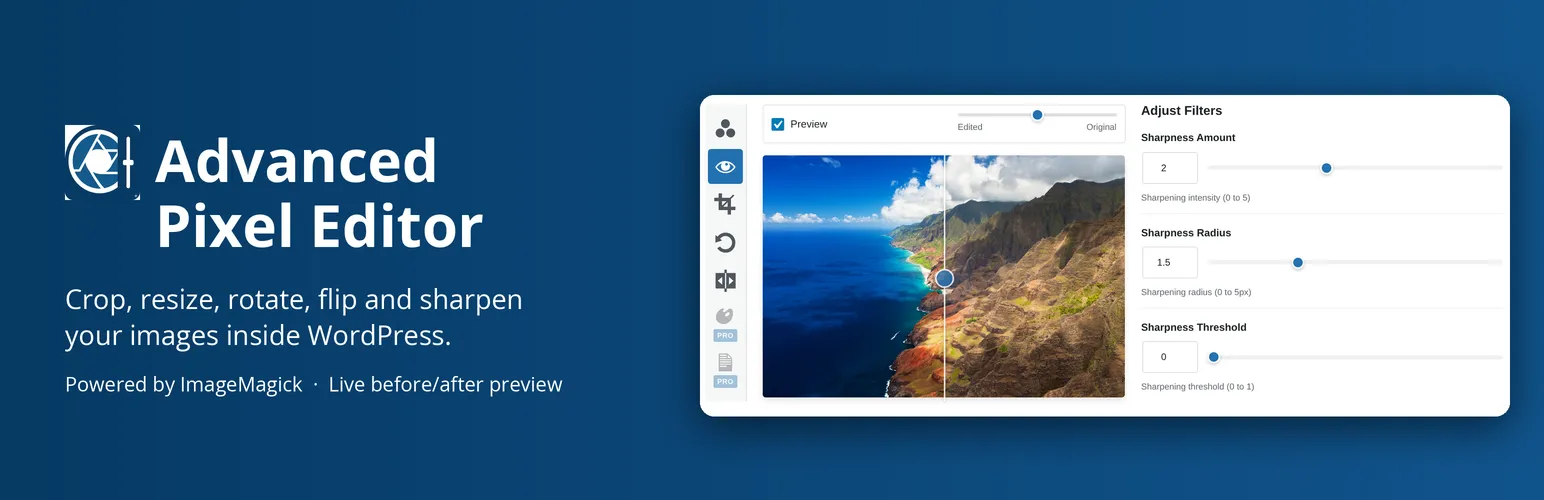




Advanced Pixel Editor edits the images already in a WordPress Media Library without leaving the dashboard. Pick an image, move a slider, and ImageMagick renders the result on the server and sends back a preview.
Image editing inside the WordPress Media Library
ImageMagick renders every adjustment on the server rather than in the browser, so the preview is the file that will be saved. The editor opens from the Media Library grid, the list view, or any attachment edit screen, and the image loads straight into it. JPEG, PNG, GIF and WebP are supported, up to 10 MB and 4096 by 4096 pixels by default.
Sigmoidal contrast and unsharp mask sharpening
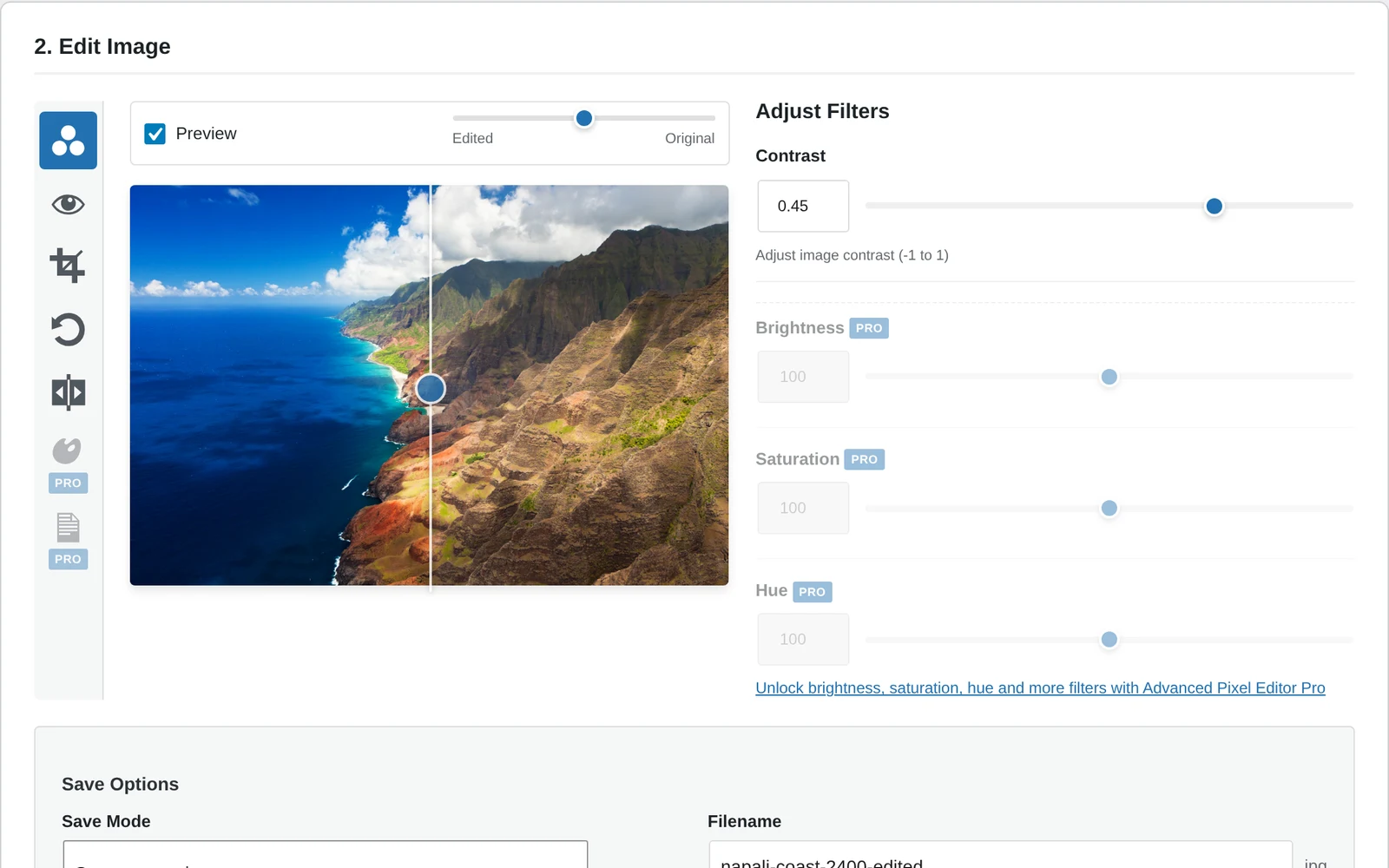
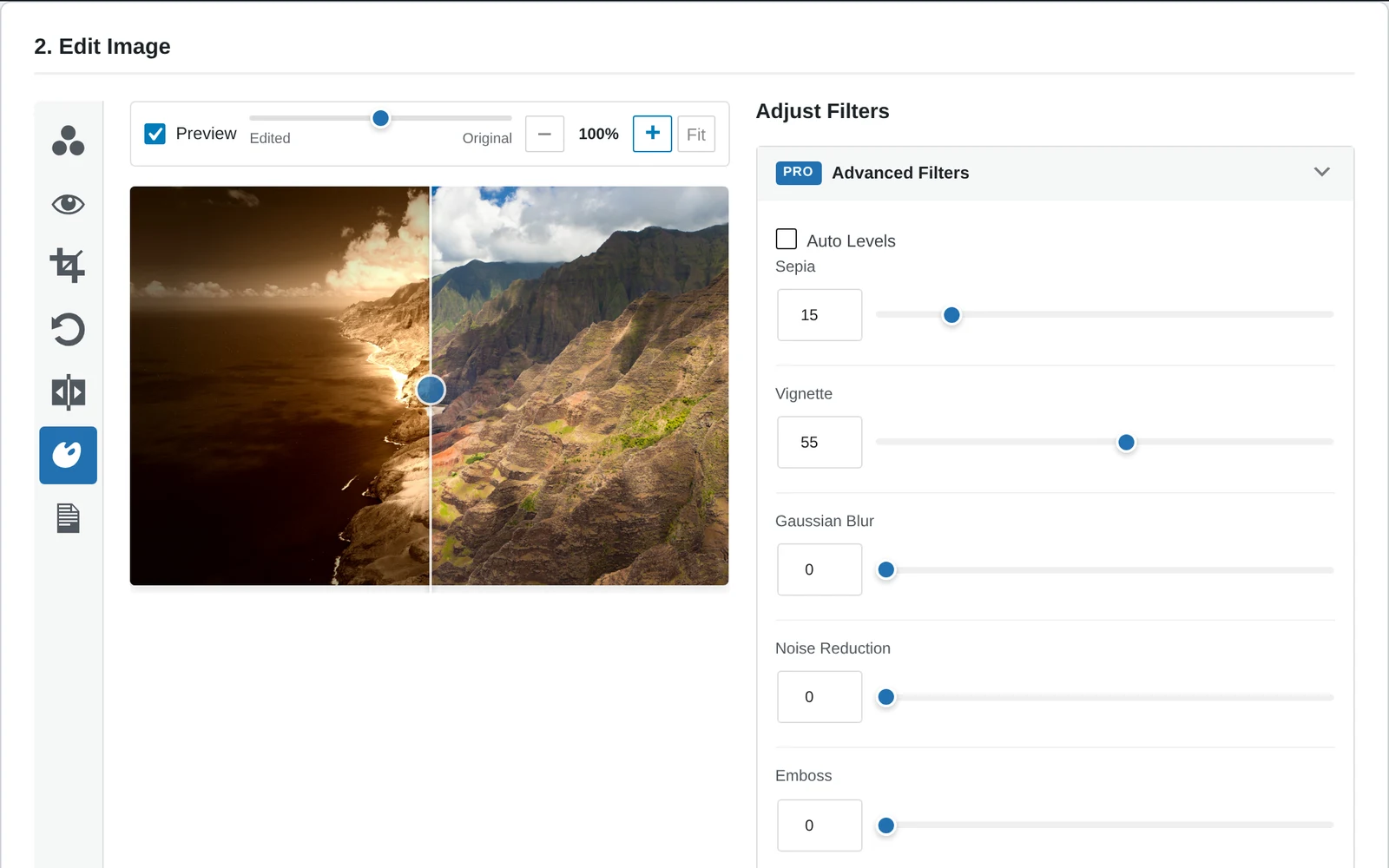
Contrast uses a sigmoidal curve, which lifts midtones while holding the ends of the range, and sharpening is an unsharp mask with separate amount, radius and threshold controls. Both are the algorithms Photoshop and Lightroom use for the same two jobs. A draggable comparison slider sits over the preview, so an edit is judged against the original rather than from memory.
Crop, resize and DPI in the same panel
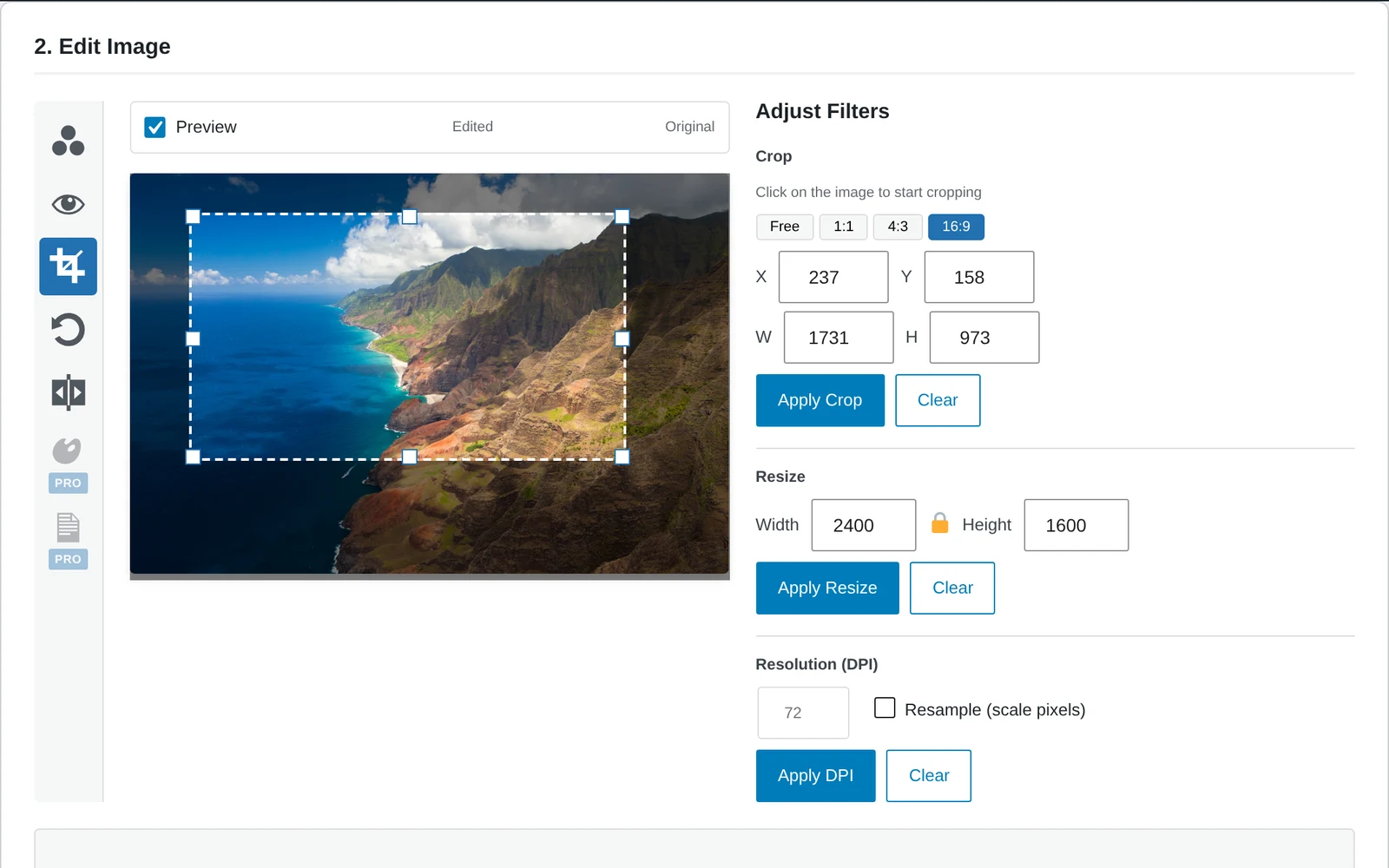
Crop uses an interactive overlay with free, 1:1, 4:3 and 16:9 presets. Resize holds the aspect ratio unless told otherwise, DPI is set alongside it, and rotation offers 45 and 90 degree steps as well as a free angle. Horizontal and vertical flips are one click each.
AI image editing from a text prompt
On WordPress 7.0 or newer, an image can be edited by describing the change, for example replacing a sky with a sunset. The request goes to whichever AI provider is already connected under Settings and Connectors, an OpenAI or Google key, so the plugin adds no account and no bill of its own: the provider charges for its own usage. The result can be refined with another prompt, adjusted with the ordinary sliders, and saved like any other edit.
Automatic backup and one-click restore
Saving defaults to a new file, which leaves the original untouched. Replacing the original is the other option, and it writes an automatic backup first, so the original is one click away afterwards. The editor is keyboard navigable, carries ARIA labels and screen reader support, and the comparison slider works on touch.
Advanced Pixel Editor Pro filters, watermarks and batches
The Pro add-on adds filters, watermarking and batch processing to the same editor. Filters cover brightness, saturation, hue, auto levels, sepia, vignette, Gaussian blur, noise reduction and emboss, each with the same live preview. Watermarking takes text or an image from the Media Library, with size, colour, opacity, rotation, a nine point position grid and tiling. Batch processing applies contrast, sharpness, brightness, saturation and hue across many images at once.
WordPress 5.6 and PHP 7.4 requirements
WordPress 5.6 or later and PHP 7.4 or later, tested to WordPress 7.1.3. The AI edit is the one feature with a higher floor, since it needs WordPress 7.0 and a connected provider. Version 3.8.0, released under GPLv2 or later, with the source on GitHub.
From the author
Rafael MinuesaLast century I spent over 20 years as a Graphic Designer and Pre-Press operator before building websites, and one of the first things I noticed was that every WordPress image editor I tried felt like a toy next to what I was used to.
Advanced Pixel Editor tries to emulate the way Photoshop and Lightroom work, using ImageMagick on the server so the preview you see is the result you get.
The before and after slider is there because nobody can judge an edit from memory.
The AI Edit in version 3.8 goes through the provider you already connected to WordPress, so the plugin adds no account and no bill of its own.
The free plugin is complete on its own. The Pro add-on pays for the time, and 20 percent of its proceeds go to the ImageMagick project, which does the real work.
Tell me on the support forum what you miss.
0 Comments
Comments are for members. Become a member to join the conversation, or if you already are.
You are signed in as a member. .