




Bot Storm Radar watches a WordPress site’s traffic as a crowd and scores it as a whole, instead of judging one visitor at a time. A swarm of thousands of addresses that each make a single request looks perfectly ordinary to any per-IP rate limiter, because no individual address does anything wrong.
WordPress bot swarm detection
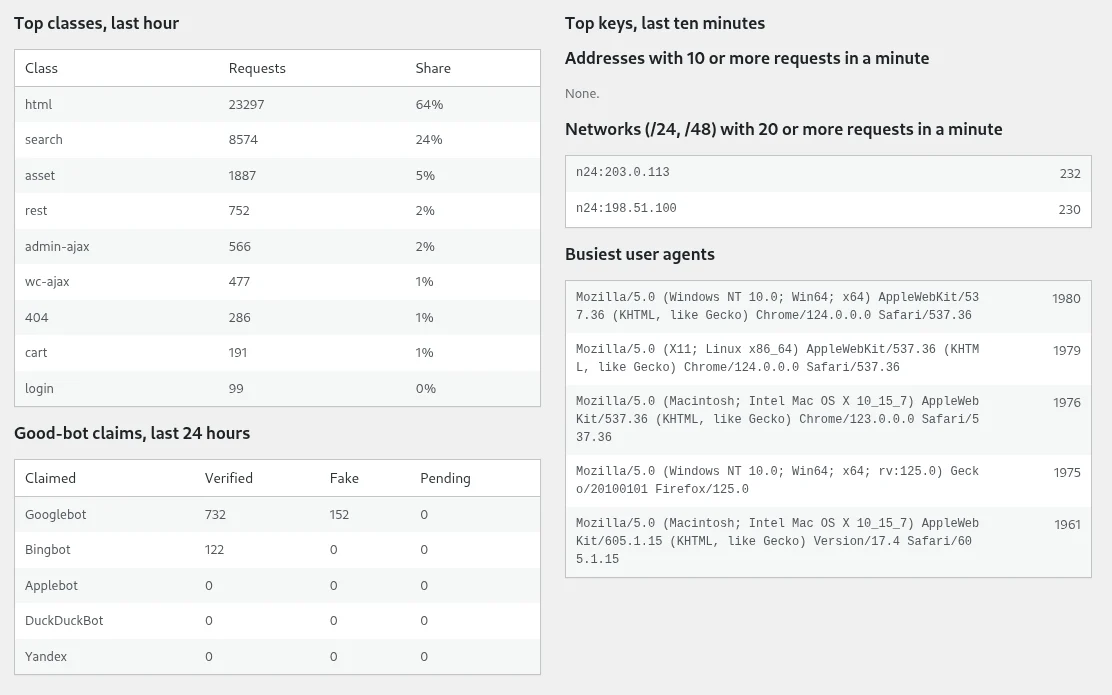
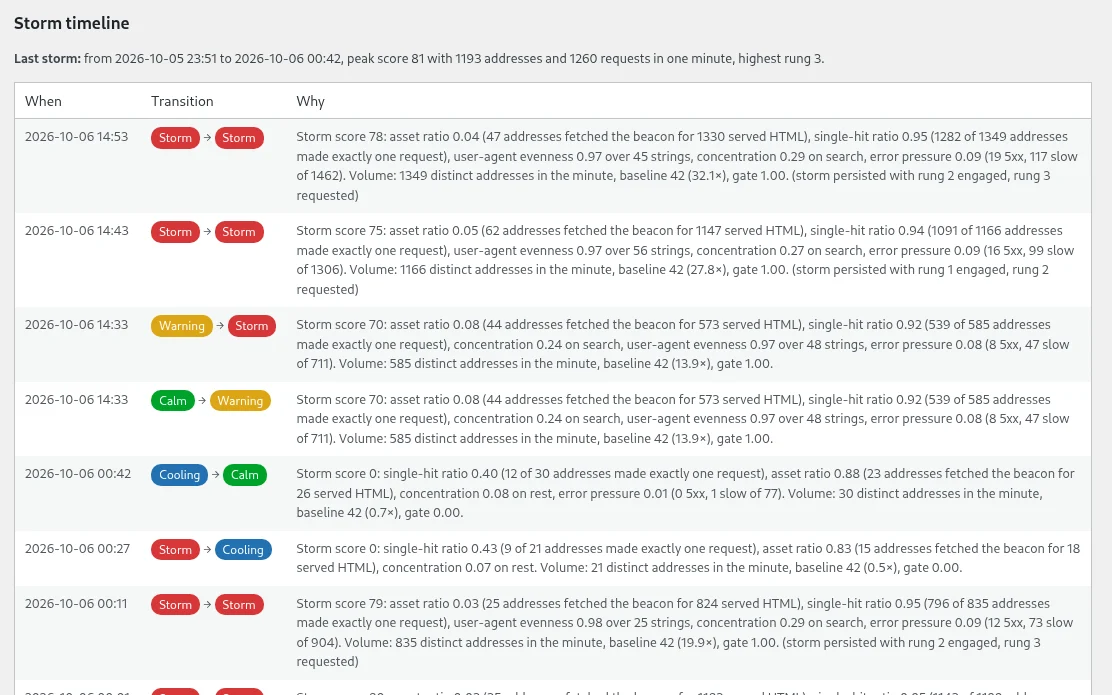
Every minute it counts the distinct addresses that visited, how many made exactly one request, how many loaded a stylesheet or a script the way a real browser does, and how widely the user-agent strings are spread. Those become a storm score from 0 to 100, compared against a baseline learned over seven days, and gated by traffic volume so a quiet site stays at 0.
Requests are classified as html, search, rest, xmlrpc, login, admin-ajax, asset or 404, with WooCommerce classes added when WooCommerce is present. Counters are kept in sliding one-minute and ten-minute windows keyed by address, IPv4 /24, IPv6 /48, user-agent hash and session, held in a persistent object cache where one exists, then APCu, then transients.
The site moves between four states (calm, warning, storm and cooling), and each transition is logged with the numbers that caused it. Addresses claiming to be Googlebot, Bingbot, Applebot or Yandex are checked by reverse and forward DNS before they are believed.
Blocking scanner probes and banning bad bots
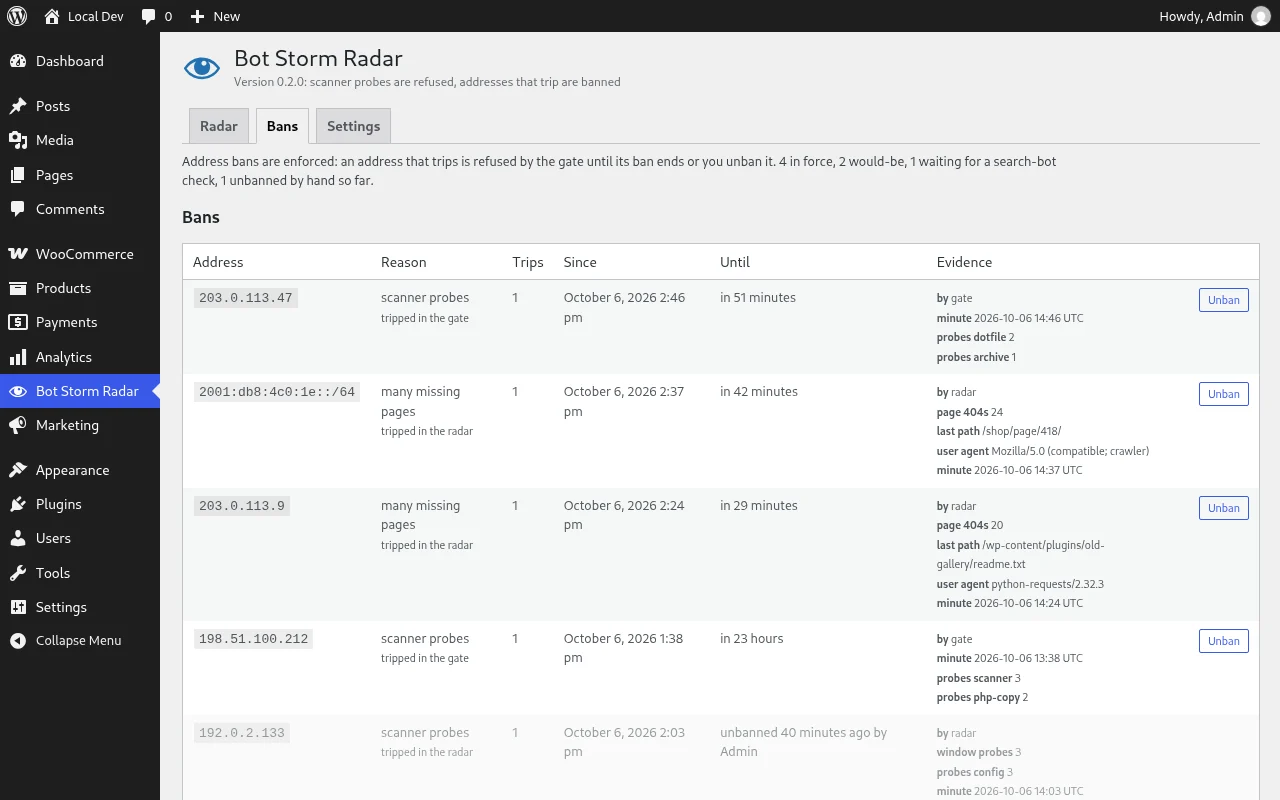
Since version 0.2 the plugin also acts. A gate answers scanner probes with a 403: requests for .env and .git files, backups, database dumps, config and log files, and the admin paths of other applications. An address that keeps probing, or that keeps asking for pages that do not exist, is banned for a while.
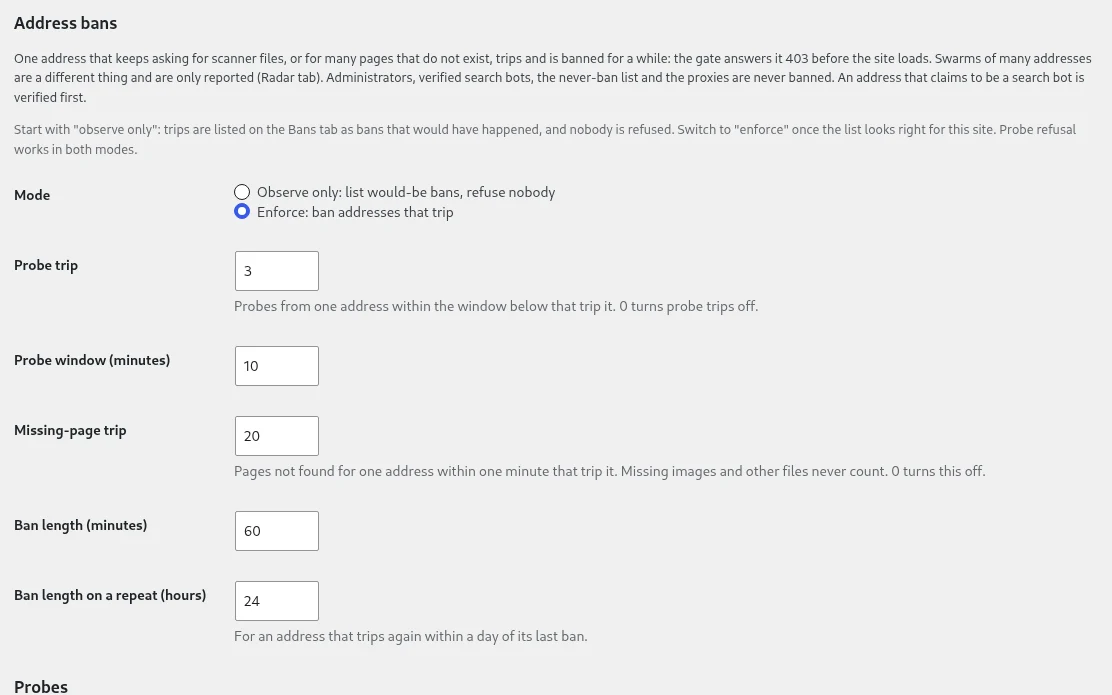
Bans start in observe mode, where every trip is listed as a ban that would have happened and nobody is actually refused, so the list can be checked against real traffic before enforcement is switched on. Administrators, verified search bots, declared proxies and anything on the never-ban list are never banned.
Refusing bots before WordPress loads
On the GitHub build, a must-use plugin loads the gate before the rest of WordPress. It reads a small state file and touches neither WordPress nor the database, so a refused probe costs almost nothing. Turning on early protection goes one step further and writes an auto_prepend_file line into .user.ini under PHP-FPM, or a php_value line into .htaccess under Apache with mod_php, so the gate runs before PHP loads WordPress at all.
The plugin verifies with a test request that the gate really runs first, and if another auto_prepend_file is already set it reports the conflict rather than replacing it. Dropping an empty file named disabled into the data directory turns the gate off without wp-admin.
The wordpress.org plugin directory rule
The wordpress.org build does not carry the early gate. The plugin directory does not accept a plugin that writes PHP files, ships a must-use plugin or sets auto_prepend_file, so that build makes the same decisions later, on plugins_loaded, using rules kept in an autoloaded option. The refusals still happen; they cost more, because WordPress and the database have already loaded by then. Abuse reporting is GitHub-build only.
AbuseIPDB reporting from WordPress
With an AbuseIPDB key saved, probe bans can be reported, one per address per day and within a daily cap, covering probe trips only. Those reports are public. Provider reports look up a network’s abuse contact through RIPEstat, sending only the address, and produce plain text to copy or hand to a mail client; the plugin never sends mail itself.
WordPress 6.0 and PHP 7.4 requirements
WordPress 6.0 or later and PHP 7.4 or later. A persistent object cache or APCu is strongly recommended, since without one the counters fall back to database transients. Released under GPL-2.0.
From the author
Rafael MinuesaI wrote Bot Storm Radar after bot swarms kept hitting the sites I managed with increasing frequency this year. A MediaWiki installation, several WooCommerce stores, my own agency site, etc. Every time the pattern was the same: thousands of residential addresses, 1 or 2 requests each, a handful of browser strings rotated evenly, almost nobody fetching a stylesheet.
The worst one brought about 256,000 addresses in 3 hours. nginx rate limits, fail2ban and user-agent rules were all working as designed on those servers, but none of them could see any of it, because no single address did anything wrong. The crowd was the only thing that stood out, so the plugin scores the crowd. Start it in observe mode, give it a week to learn your baseline, and read the Bans tab before you switch enforcement on.
If you run the GitHub build, get a free AbuseIPDB key, save it under Settings and let it report the scanners it bans. Every scanner reported from your site is one more that other sites can refuse. Bug reports and pull requests on GitHub are welcome as well.
0 Comments
Comments are for members. Become a member to join the conversation, or if you already are.
You are signed in as a member. .