




Empirical Responsive Images finds the images a WordPress site sends too large for the space they fill, then creates the sizes that actually fit. Activate it and that’s it: there is nothing to configure, no bulk regeneration to run, no queue to approve, and no account or API key.
The problem it solves
WordPress can only offer the thumbnail sizes it already has. When none of them is close to the slot an image is shown in, phones end up downloading images made for desktops. PageSpeed Insights flags this as “Improve image delivery” or “Properly size images”, and it can hold back Largest Contentful Paint (LCP).
Other tools ask you to guess which sizes you need. This one measures them on your real pages and only creates the sizes your layouts use.
How it works
- A small browser check compares each displayed image with the sizes already available. Images with a good match are ignored.
- A missing size has to be confirmed before any work is scheduled. By default, regular visitors confirm it across three separate 15-minute periods.
- WordPress creates the new files later as a background task, up to 50 image jobs a day.
- The normal responsive image markup (srcset and sizes) picks them up, and the page cache is refreshed.
Nothing is resized in the visitor’s browser, and no image is generated while a visitor waits for the page.
What you get
- Missing thumbnail sizes created automatically, without regenerating the whole media library
- WebP and AVIF versions when the server’s image library supports them, kept alongside the originals
- Coverage for Media Library images and local theme and plugin images
- Cache refresh for WP Rocket, W3 Total Cache, WP Super Cache, LiteSpeed Cache, Breeze, Autoptimize and SiteGround Speed Optimizer
- Works with lazy loading, page builders and WooCommerce galleries that output normal WordPress image elements
- Optional status tables under Tools > Responsive Images, plus WP-CLI commands to list learned sizes or force a rebuild
Custom crops, image choices and picture layouts stay as they are. The plugin fills proven gaps rather than replacing WordPress responsive images.
Privacy and limits
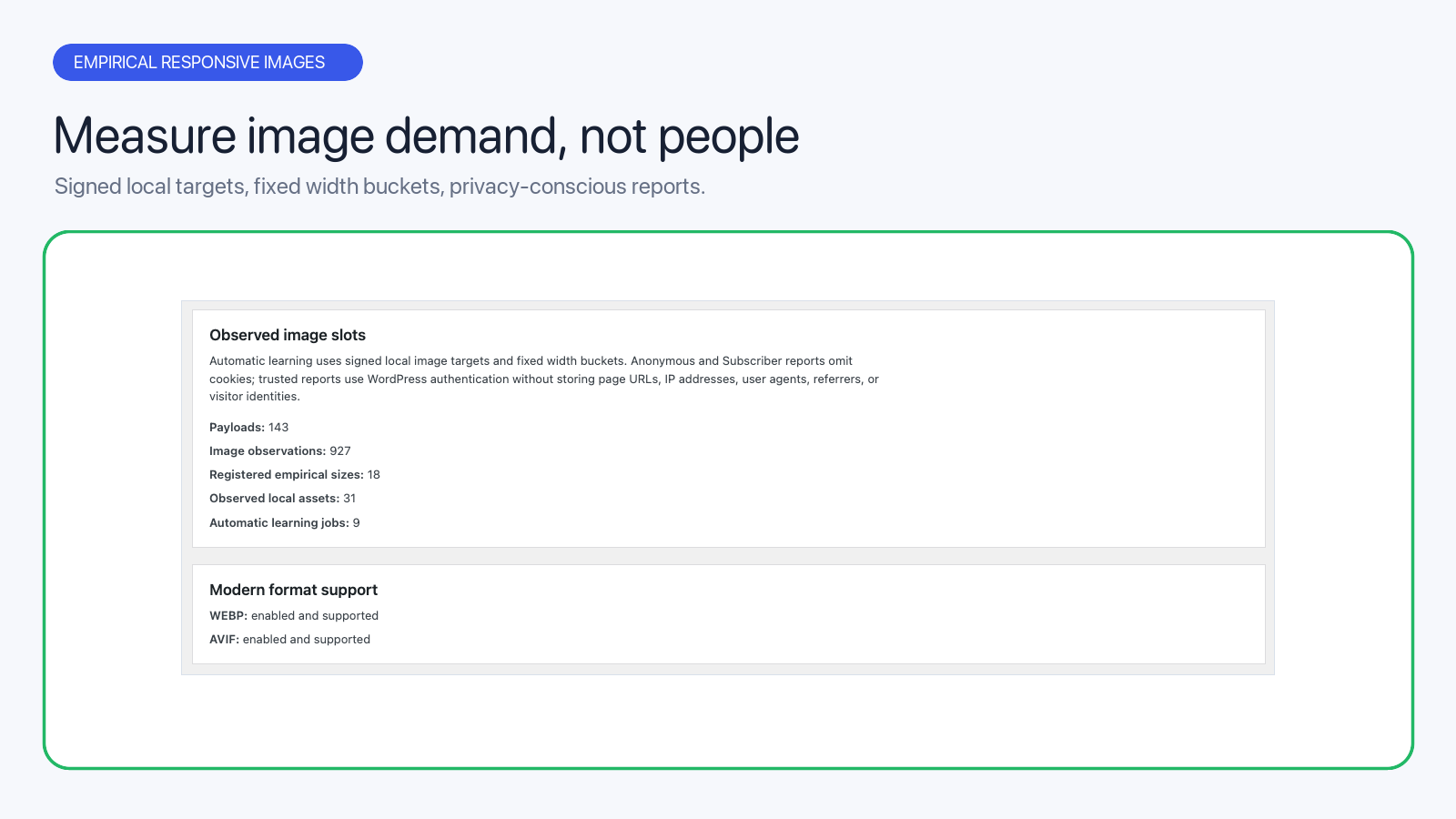
Everything stays on your site: no images are sent to a CDN or an outside image service. Reports carry only a code for a local image and a rounded missing size, without the page URL, visitor identity, IP address or browser details. Visitors can’t submit arbitrary image URLs or invent sizes, and hard limits on requests, queued jobs, retries, daily work and free disk space keep generation bounded.
Result
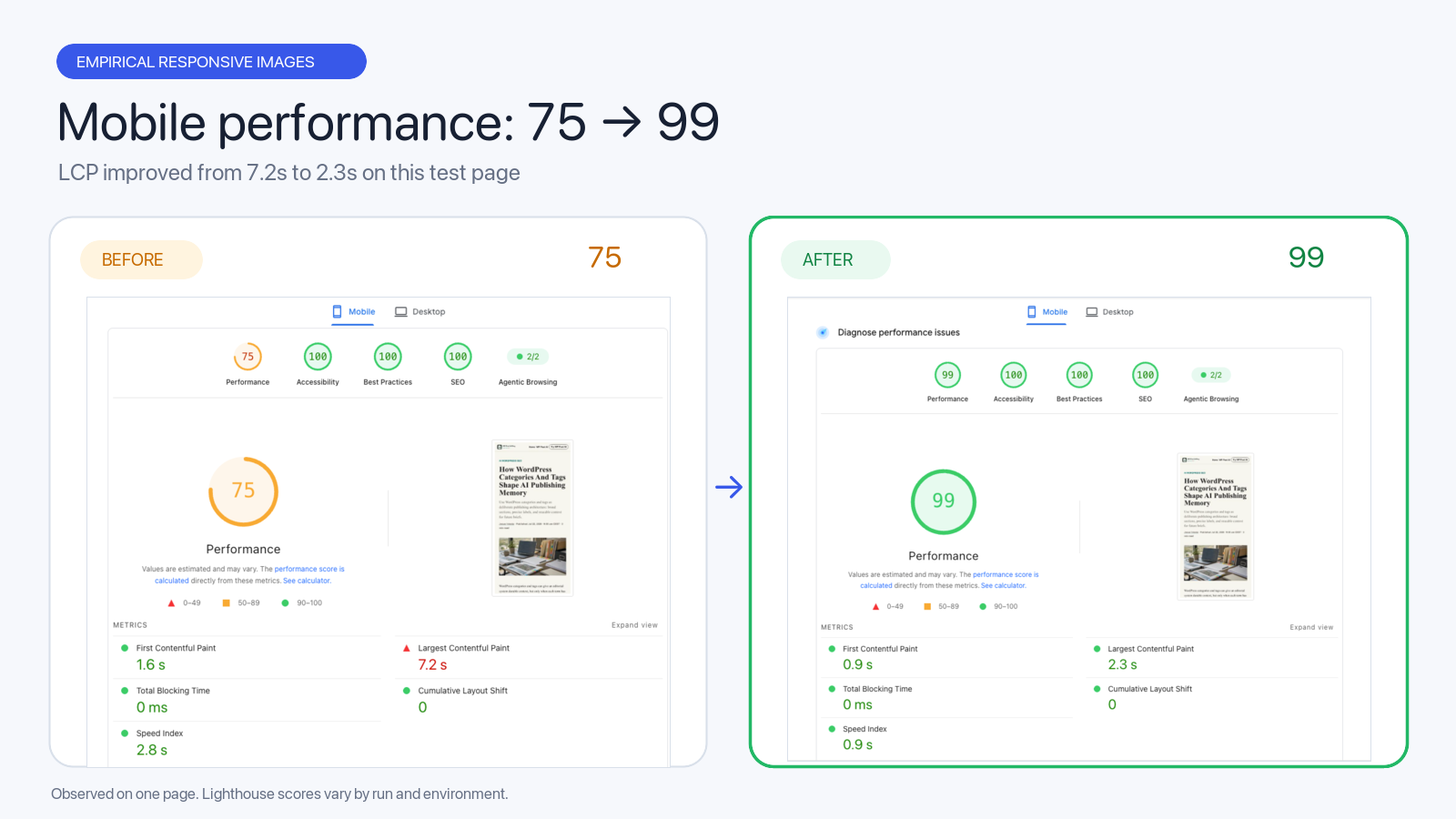
On one test page, the mobile PageSpeed score went from 75 to 99 and LCP improved from 7.2 s to 2.3 s. Results depend on the theme, original images, cache and hosting, so no score is guaranteed.
Free and open source under GPLv2 or later. Requires WordPress 6.9+ and PHP 7.4+.


From the author
Jesus IniestaI built this so nobody has to guess which image sizes to register. It watches real pages, only creates the sizes your layouts actually use, and does the work in the background, so you can activate it and leave it alone. Bug reports and feedback are welcome on GitHub.
0 Comments
Comments are for members. Become a member to join the conversation, or if you already are.
You are signed in as a member. .