



Ryker
Ryker is a Chrome extension for inline editing a document and recording every change you make as a prompt-ready change request.
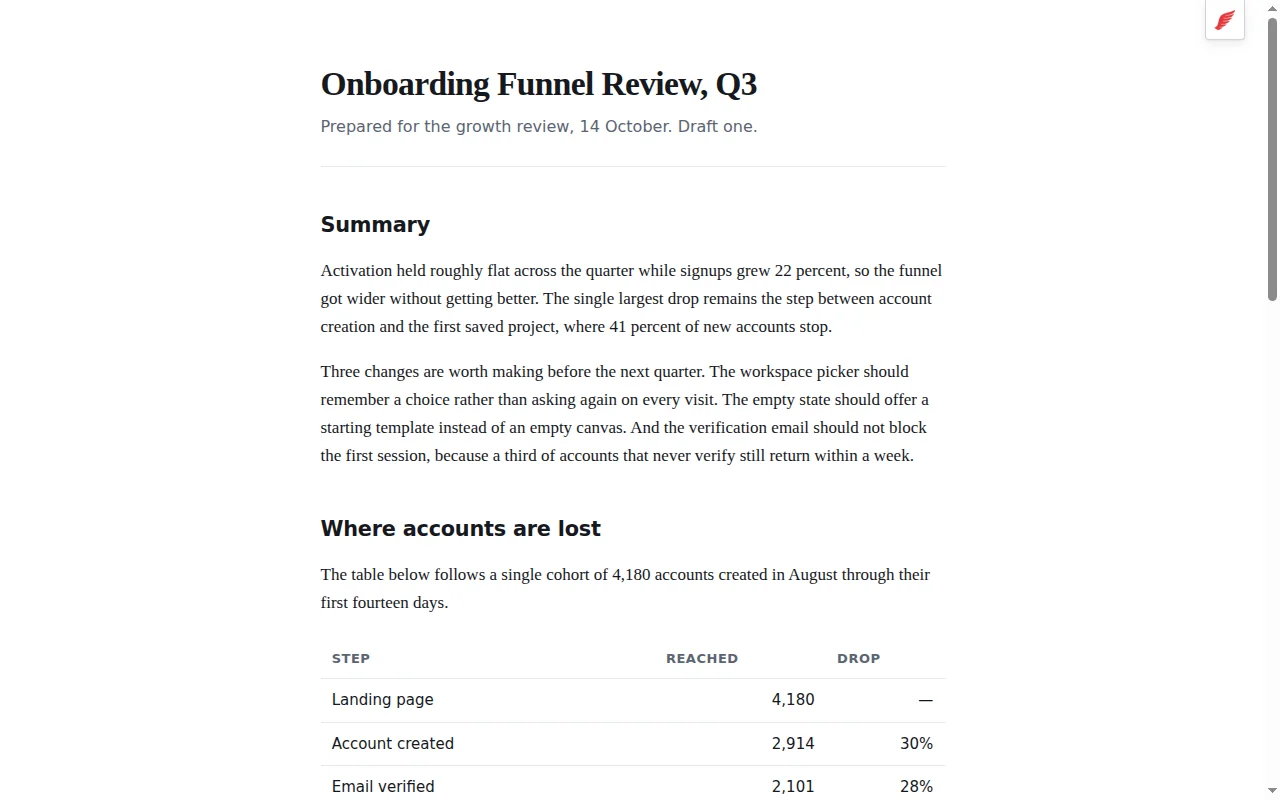
There are two ways to use Ryker. Click the Ryker extension toolbar button on any HTML page to edit the document directly on the page. Or open the Ryker workspace and load a Markdown or HTML file from your own disk into Ryker’s visual editor.
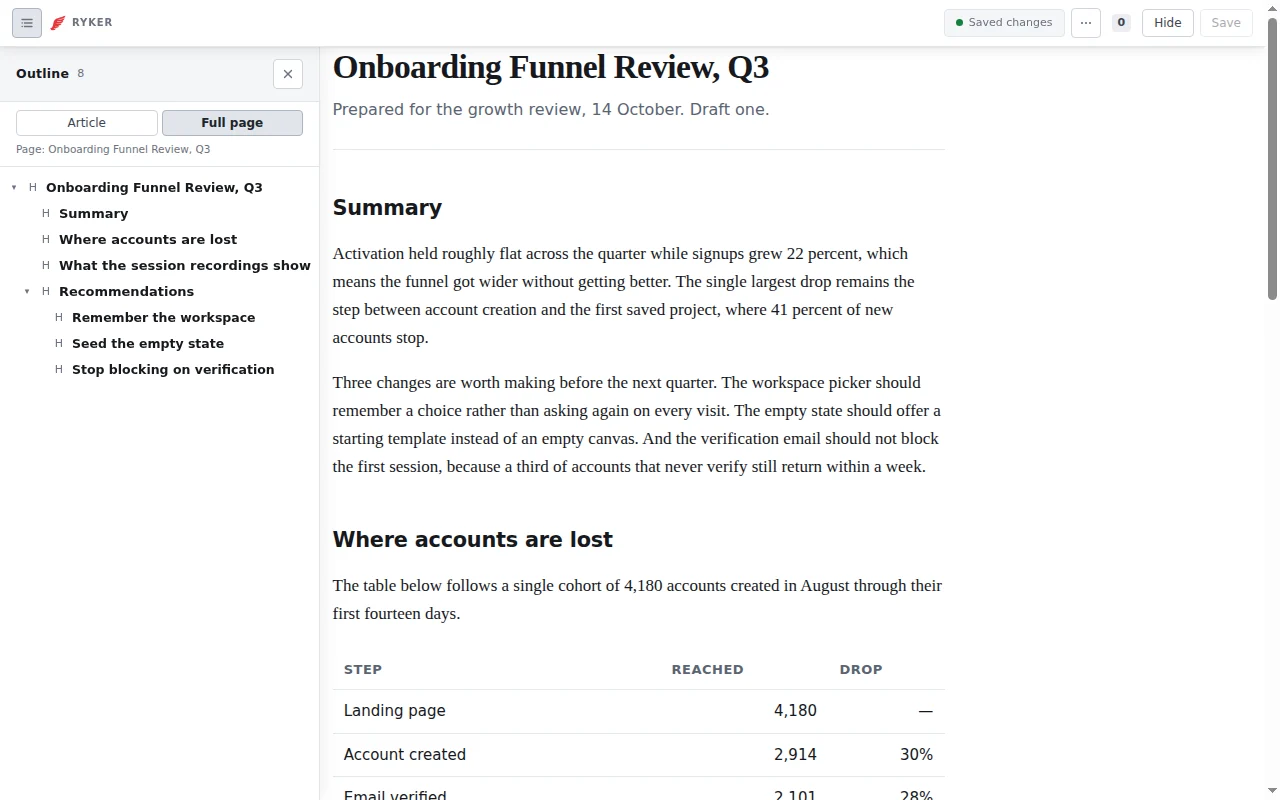
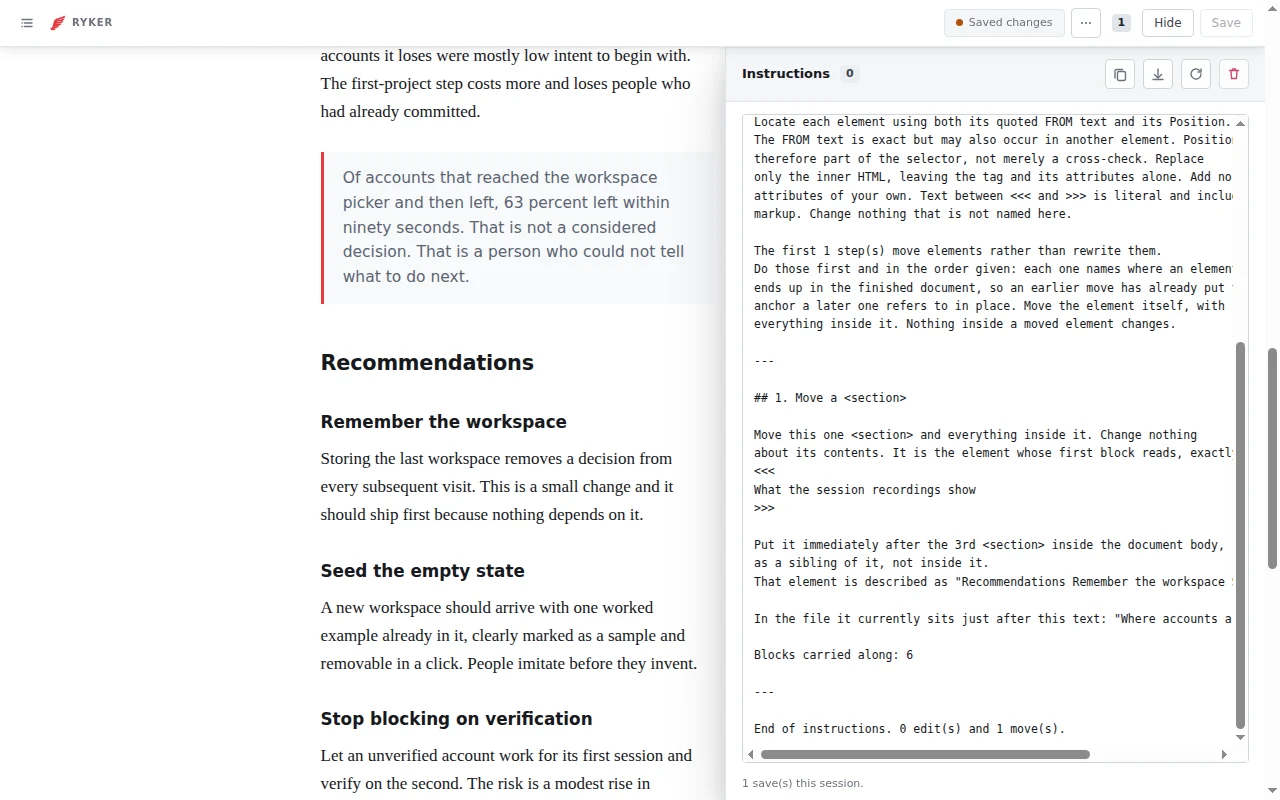
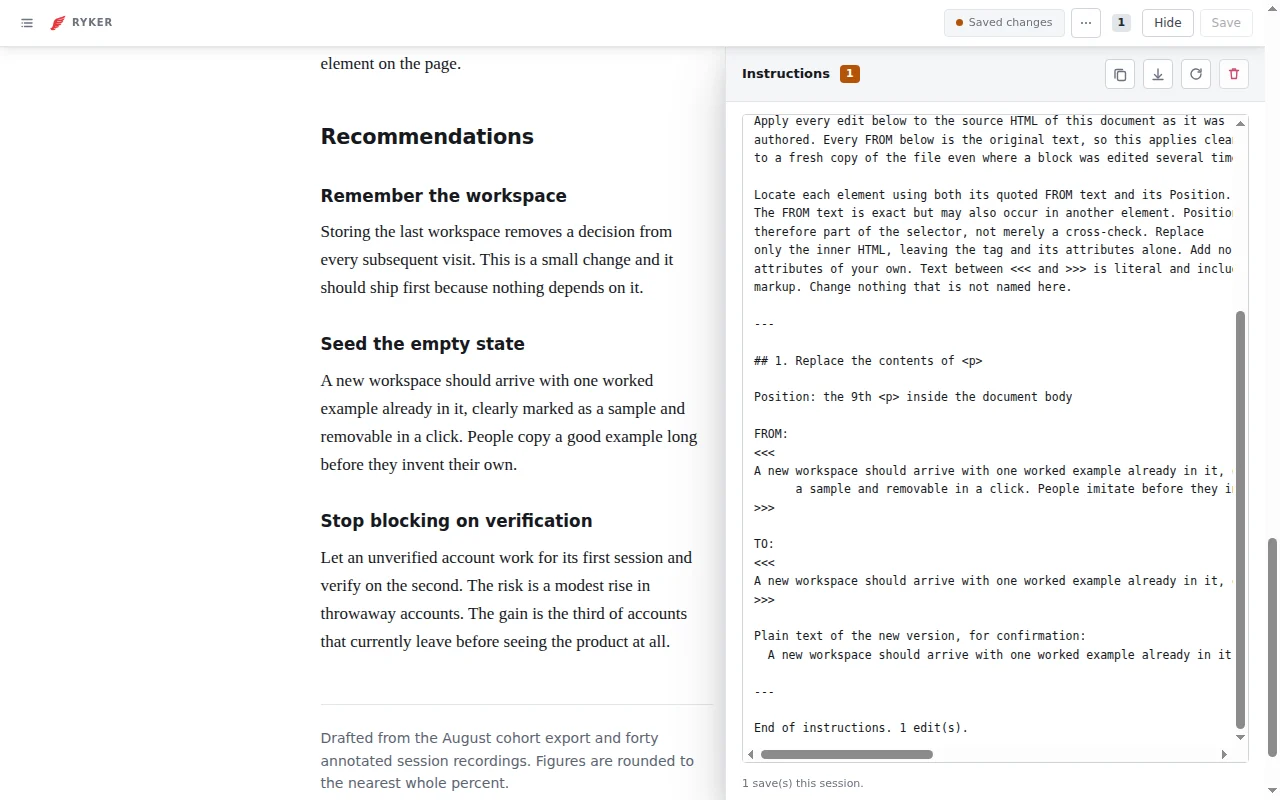
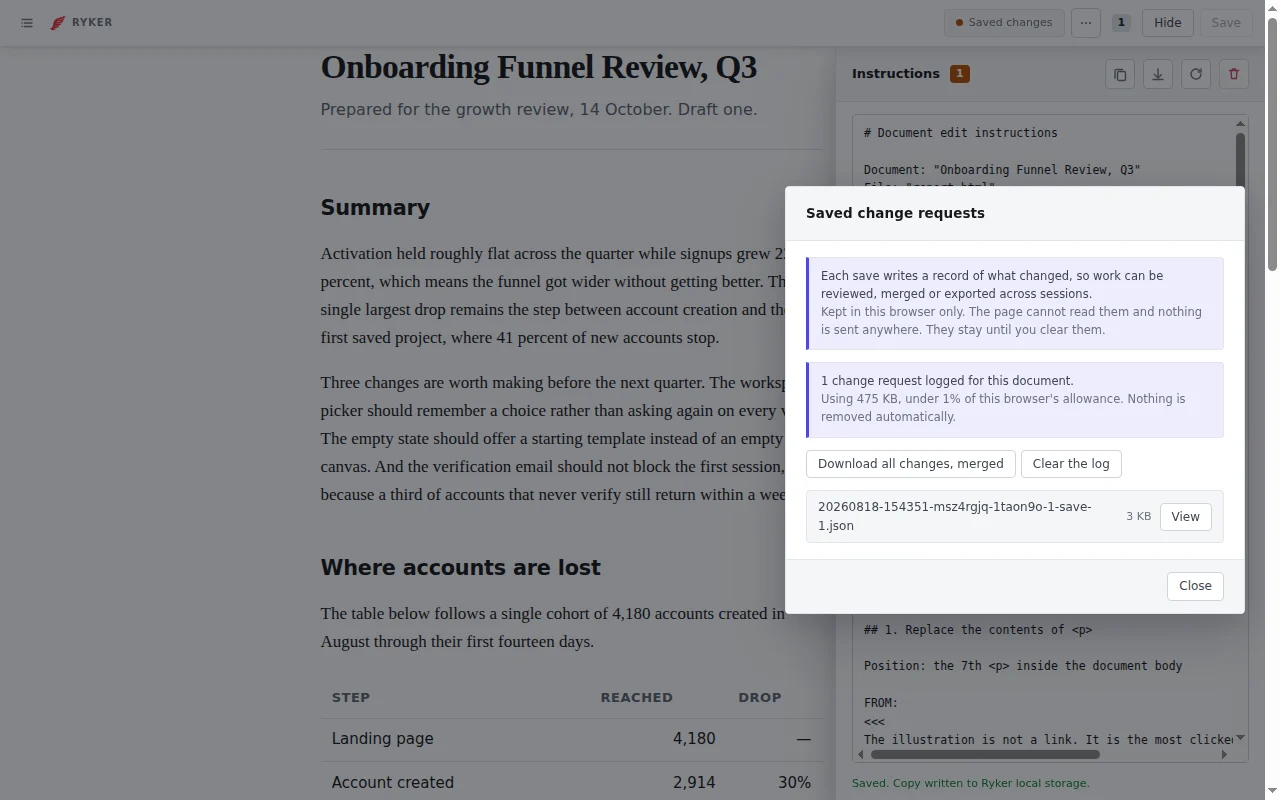
As you edit, Ryker records each change as a prompt-ready change request that you can copy or download and hand to an agent assistant for implementation.
Why did we build this?
HTML has become a useful format for delivering rich content when working with large language models: complete reports, tables, figures, layouts and styled documents, in a form that renders immediately in a browser. Markdown has likewise become a common format for structured content.
Both are easy for a model to generate and awkward to edit at the source. Markdown means switching between source and preview. HTML source separates the author from the rendered document the reader will actually see. Inline editing lets you work against the rendered result instead, and Ryker keeps a record of what you changed while you do it.
Two ways to use it
As a Chrome extension. Install it from the Chrome Web Store, then click
the toolbar button on any HTML page to edit that document in place. Or open
the Ryker workspace and load a Markdown or HTML file from your own disk. On a tab Chrome will not let it touch, a new tab or a
chrome:// page, the button opens the workspace instead of failing.
As a drop-in. Add Ryker to an HTML document with npx and it travels with the file. A reader or reviewer can then edit the page and produce a change request without installing anything.
npx --yes @gbti/ryker insert ./report.htmlFeatures
- Inline visual editing for HTML and Markdown
- Export content changes as a machine-readable prompt
- An outline built from the document’s real heading structure
- Move or delete whole sections from that outline, recorded as moves rather than as character diffs
- Revision history tracked per document
- Markdown with nested lists, tables and code fences, returned as the file it came from
- Save the edited document back over the file you opened, or as a new file beside it
Install into an HTML document
npx --yes @gbti/ryker insert ./report.htmlPreview first with --dry-run. The installer creates a recoverable
report.html.ryker-backup, copies the dependency-free browser bundle beside the
document, and adds one identifiable managed block before </body>.
npx --yes @gbti/ryker doctor ./report.html
npx --yes @gbti/ryker sync ./report.html
npx --yes @gbti/ryker remove ./report.html
insert writes Ryker into the document. doctor checks an existing install and
writes nothing: it verifies the managed block is present and correctly placed,
and that the bundle matches this version of the package. sync updates an
existing install. remove deletes the managed block from that document and
retains the browser bundle, because other documents in the same folder may share
it.
Ryker requires Node.js 20 or newer for installation. The resulting HTML and
classic browser script work offline and from file:// without Node.js.
Privacy
Ryker keeps its editing history in your own browser and sends nothing anywhere: no server, no account, no sync, no telemetry. The page cannot read it. You can export the record whenever you like and clear it per document.
The extension asks for no standing access to your browsing. It has no host
permissions, registers no content scripts, and injects nothing until you click
its button. The permission it uses, activeTab, grants access to one tab for one
gesture and expires with it.
License
Ryker is source-available under the custom license included with the package. Internal-team use, internal commercial use and inclusion with client deliverables are permitted. Ryker, its forks and its derivatives may not be sold or shipped or featured as part of a commercial product or software as a service offering without prior written permission from GETHSEMANE LLC. The license and copyright notice must remain intact.
Credits
- Wing icon by prasong tadoungsorn from Noun Project, licensed CC BY 3.0.
- HTML5 icon by Stephen Hutchings from Typicons, licensed CC BY-SA 3.0.
From the author
Hudson AtwellWe built Ryker to help edit and iterate changes on HTML reports while proof reading them directly from the browser. We also wanted revision records to help train AI systems on our editorial choices. We hope you enjoy this free Chrome extension and Utility and that you find it as useful as we have.
0 Comments
Comments are for members. Become a member to join the conversation, or if you already are.
You are signed in as a member. .