




Traveler’s Chest
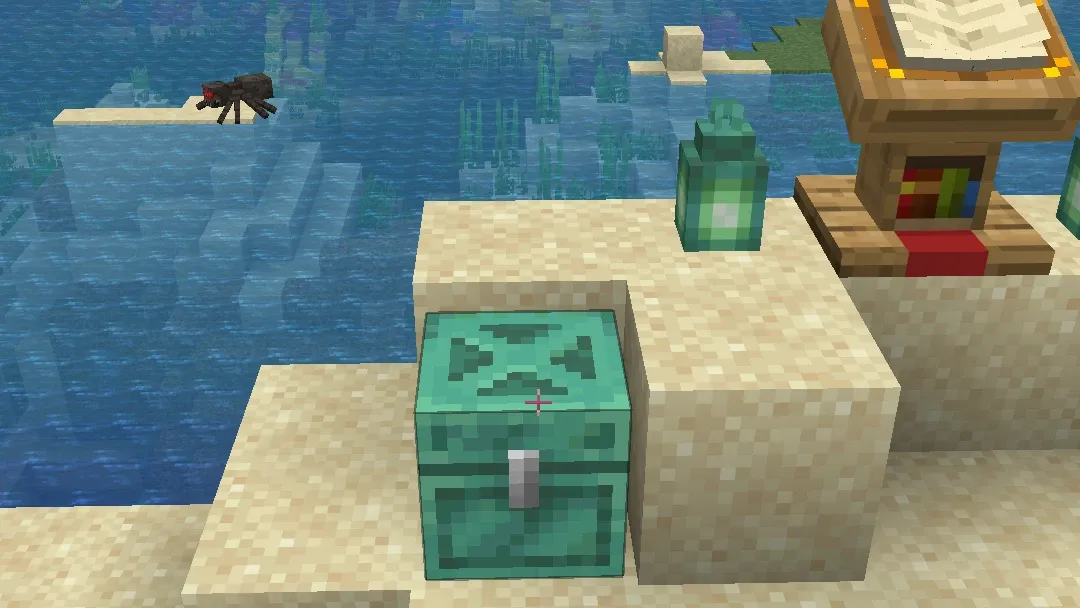
A Minecraft mod for chests that refill themselves. When a player first takes from a Traveler’s Chest, it refills with the same items in the same slots after a cooldown you set.
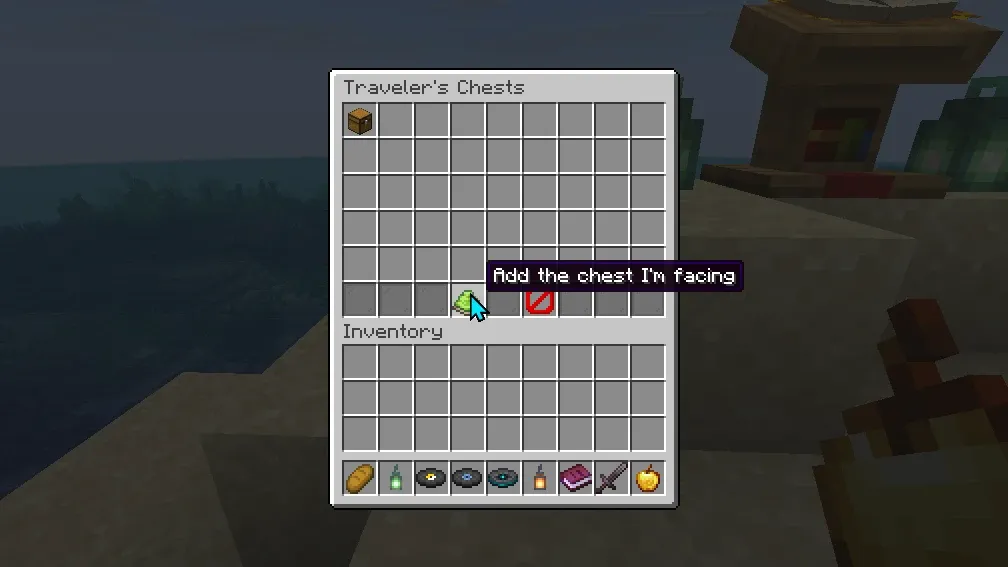
Operators manage every Traveler’s Chest from chest menus with /chests, on every supported version.
Key Features
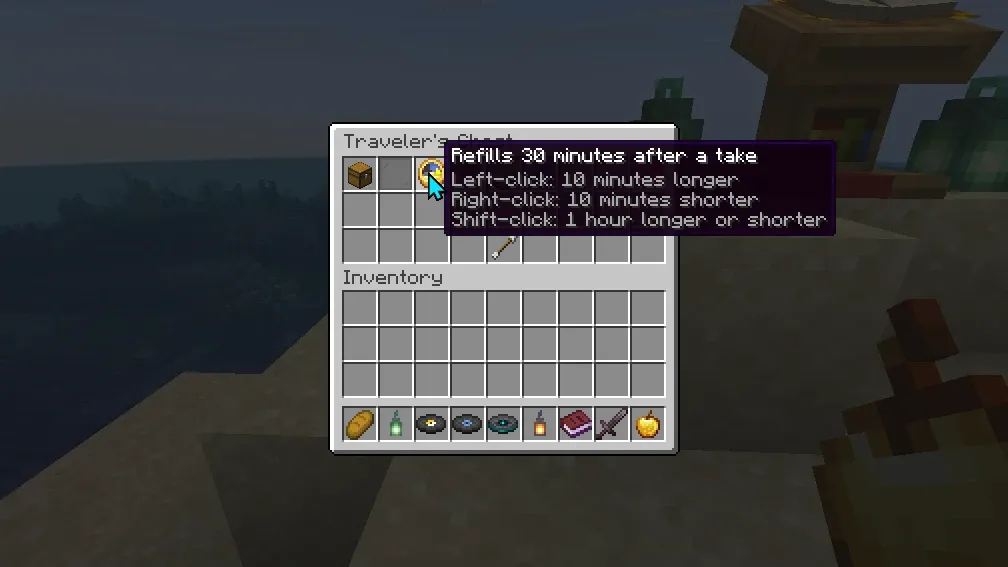
- Refills After the First Take: The chest refills one cooldown after a player first takes from it, with each saved stack back in its slot
- Shared Contents: Everyone takes from the same chest, as from any chest
- Players Only: Hoppers, hopper minecarts, droppers and copper golems cannot pull from or push into a Traveler’s Chest
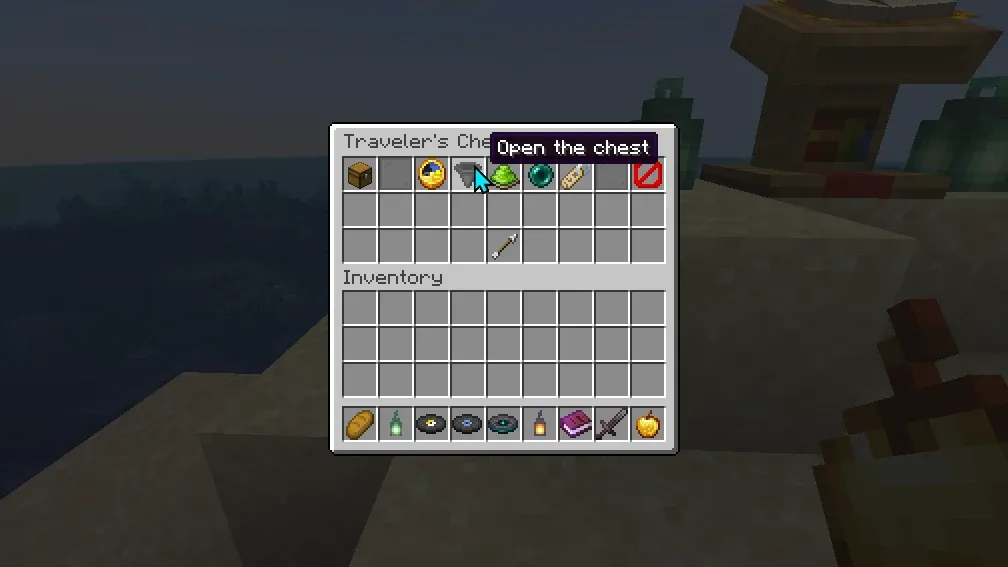
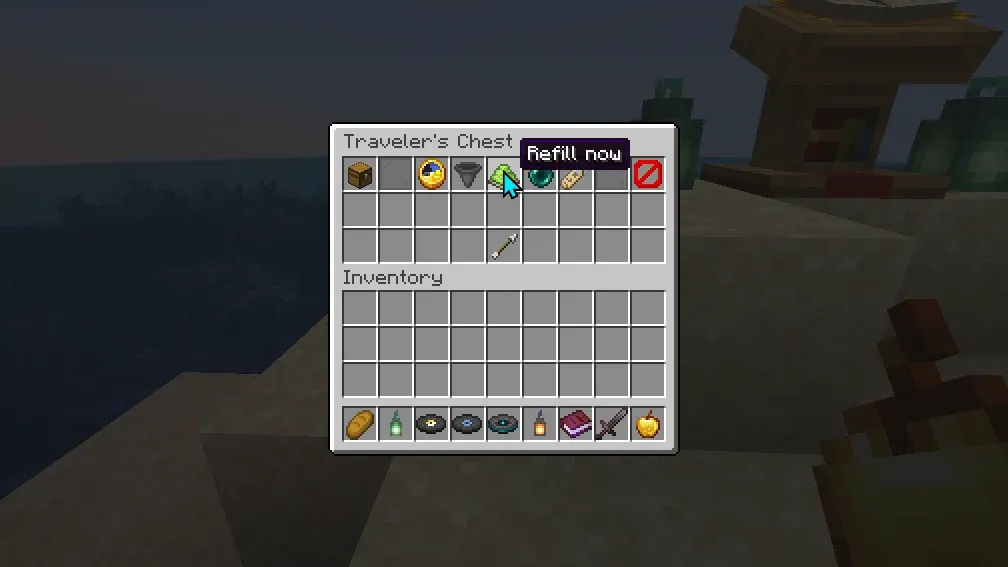
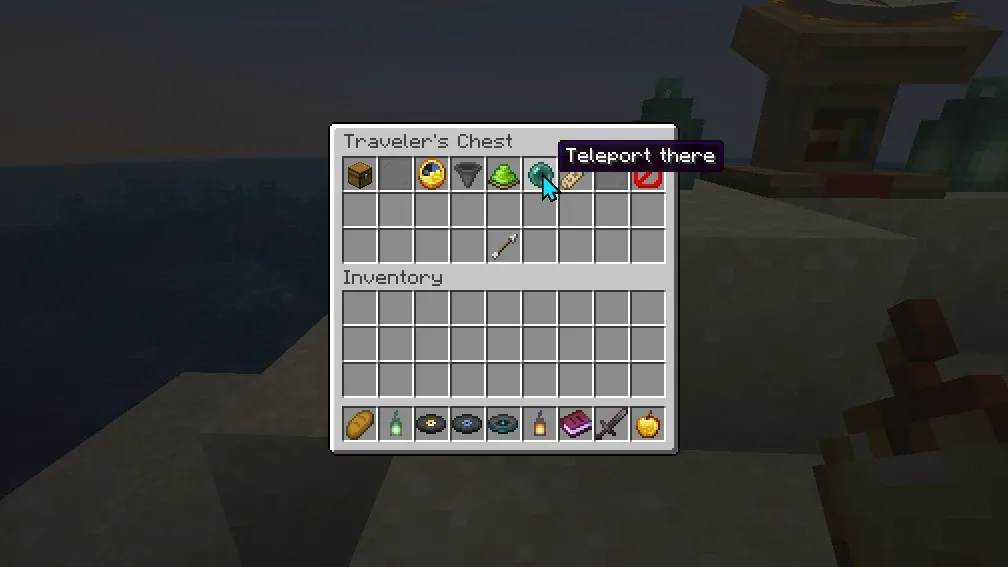
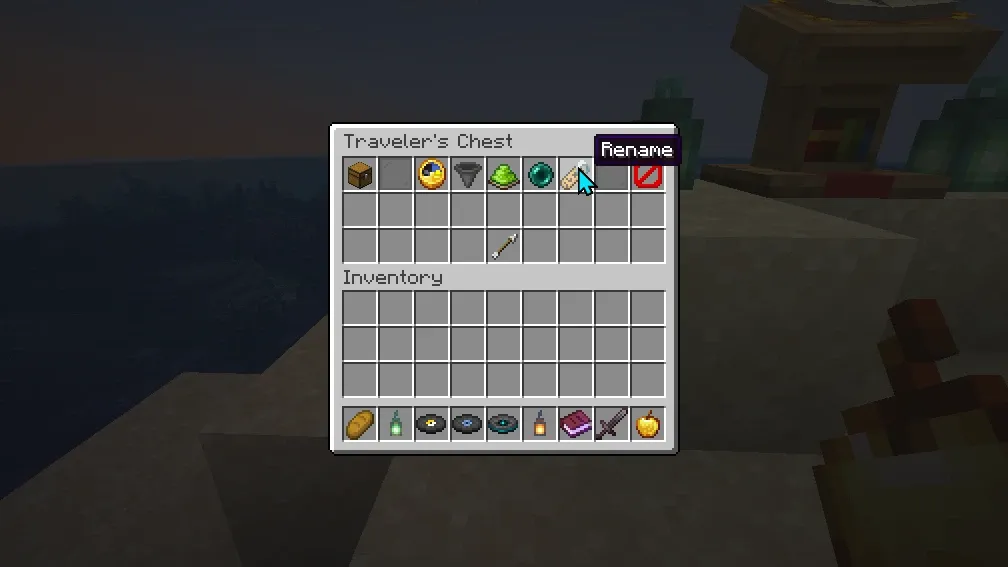
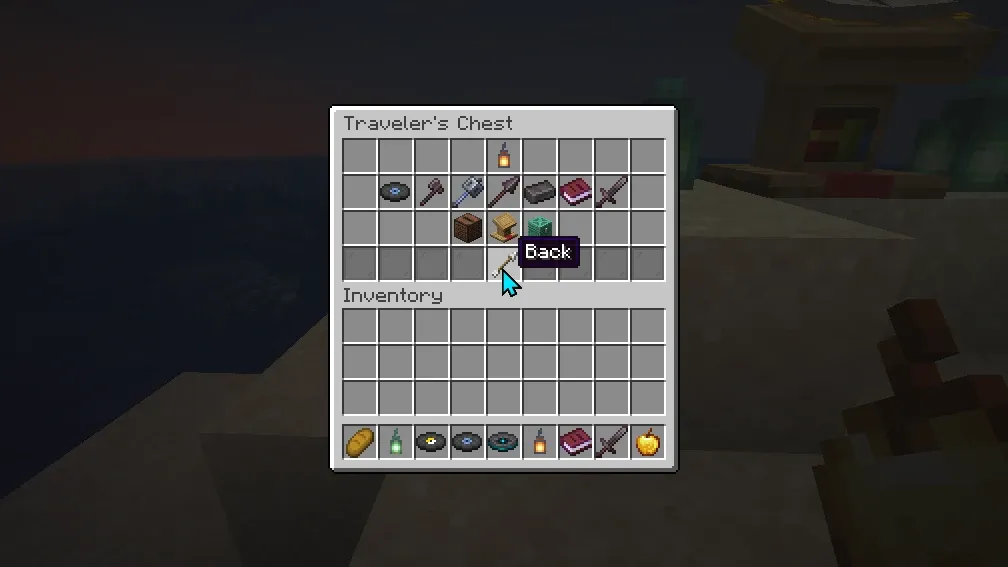
- Chest Menus: Operators change a chest’s cooldown on a clock, open the chest itself from anywhere to change its items, refill it now, rename it, or teleport to any Traveler’s Chest on the server
- Protection System: Only operators can break a Traveler’s Chest: single, trapped, copper, or either half of a double chest. Explosions, withers and the ender dragon leave it standing
Technical Details
- One jar for Minecraft 1.20 to 1.20.4, 1.21 to 1.21.11 and 26.1 to 26.3
- Server-side mod, with no client-side installation required
- The chest menus are built from the game’s own chest screens, on every supported version
- Configurable debug logging, in
config/travelers-chest/travelers_chest_config.txt - JSON-based data storage in
config/travelers-chest/chests.json, kept when a world moves to a newer Minecraft - Releases before 2.0.0 used
travelers_chests.json, which 2.0.0 imports and leaves as it was
Perfect For
- Loot spots at adventure points of interest
- Adventure maps
- RPG and survival servers
- Resource hubs
- Community servers
Installation Requirements
- Fabric Loader 0.16.10 or newer
- Fabric API
- Minecraft 1.20 to 1.20.4, 1.21 to 1.21.11 or 26.1 to 26.3 (Fabric Server Required)
- The Java version your Minecraft needs: 17 for 1.20.x, 21 for 1.21.x, 25 for 26.x
Commands
Admin-level commands (requires permission level 4), used while looking at a chest:
/chests: Opens the chest menus: the Traveler’s Chest you face, or a list of every Traveler’s Chest/travelers_chest create [time]: Creates a new Traveler’s Chest that refills with the items in it now, with a cooldown in seconds/travelers_chest edit <time>: Modifies the cooldown/travelers_chest destroy: Turns it back into a plain chest, leaving its items in it
From the author
Hudson AtwellWe built Travelers Chest to solve a problem we saw on Minecraft servers: how do you maintain balanced loot distribution without constant admin work? This mod creates chests that automatically refill after a cooldown you set, counted from when a player first takes from them, giving server admins the tools to build adventure maps, RPG worlds, and resource hubs that feel alive and dynamic. Whether you are running a community server or designing adventure content, this is for anyone who wants refillable chests without the manual labor.
0 Comments
Comments are for members. Become a member to join the conversation, or if you already are.
You are signed in as a member. .