




Traveler’s Lectern
A Minecraft mod that makes lecterns with regenerating books. When a player takes the book from a Traveler’s Lectern, it comes back after a cooldown you set.
Features
- The book comes back on the lectern one cooldown after a player takes it
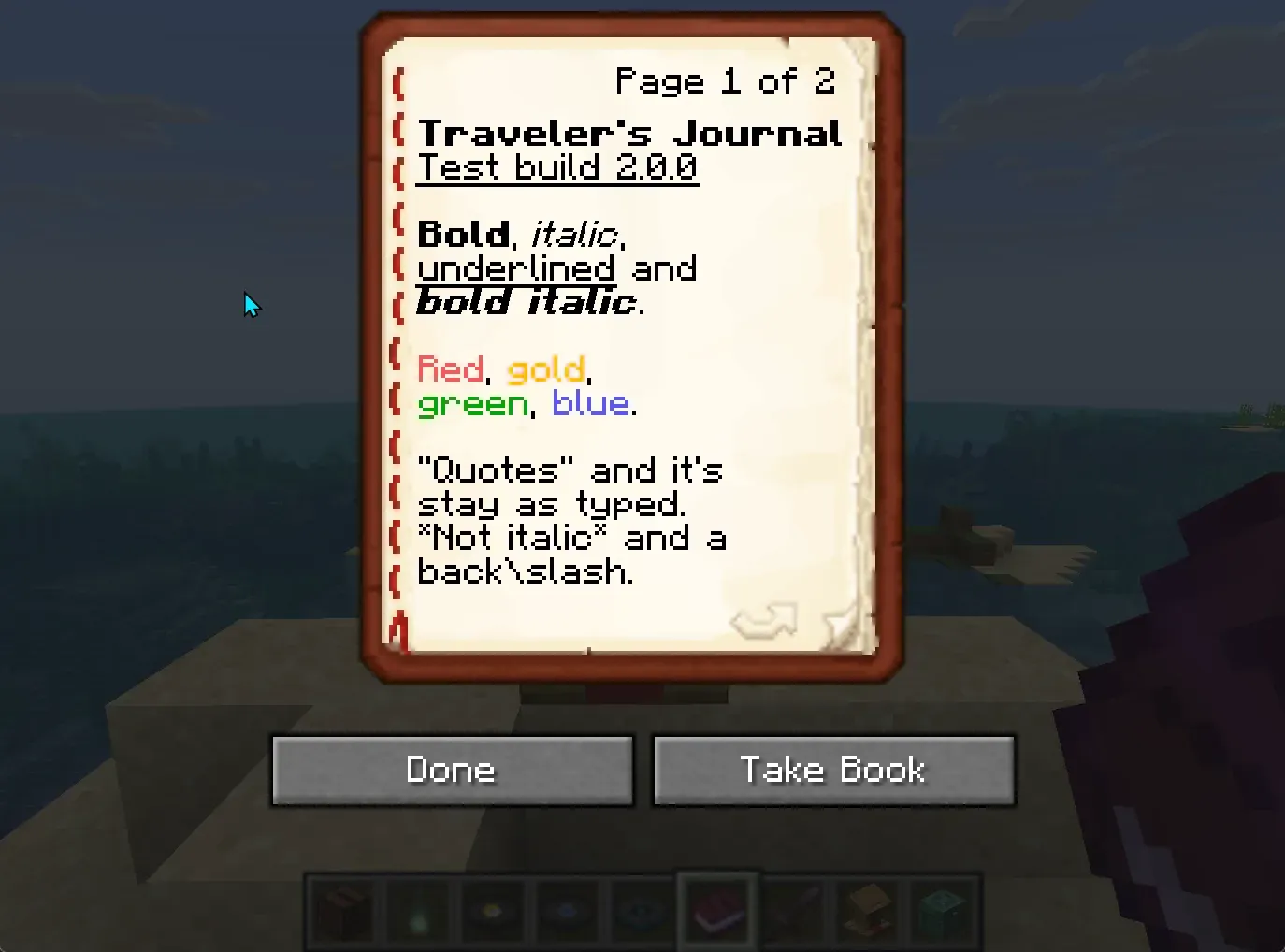
- Players read the book as usual, and take it by sneaking with an empty hand or with the lectern’s Take Book button
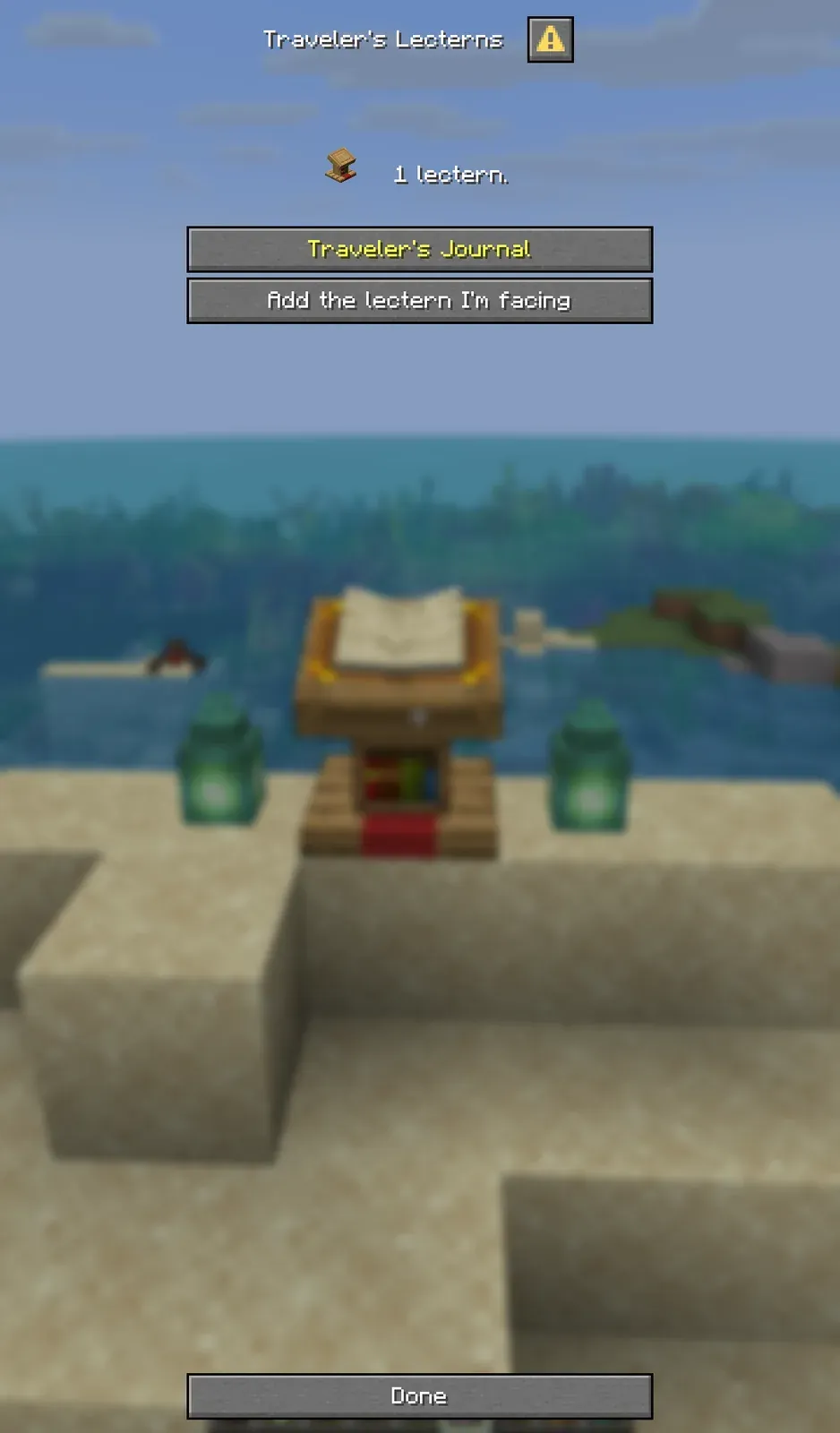
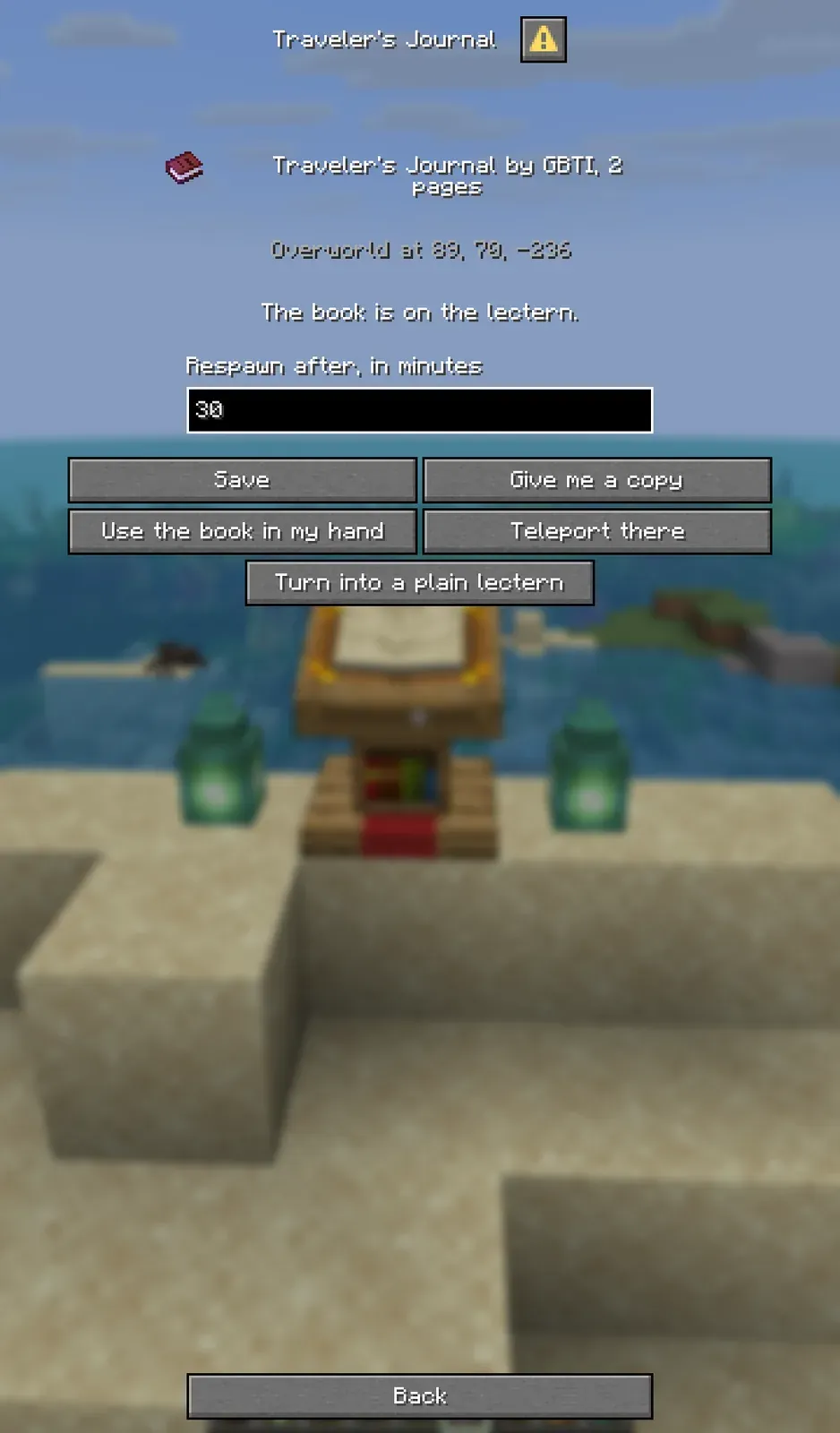
- An in-game lectern manager on Minecraft 1.21.6 and later:
/lecterns - Only operators can break a Traveler’s Lectern
- Explosions, withers, the ender dragon and fire leave a Traveler’s Lectern standing
- One jar for Minecraft 1.20 to 1.20.4, 1.21 to 1.21.11 and 26.1 to 26.3 (Fabric Server Required)
Use Cases
- Quest hubs
- Information centers
- Libraries
- Educational servers
- Adventure maps
Technical Specifications
Requirements:
- Minecraft 1.20 to 1.20.4, 1.21 to 1.21.11 or 26.1 to 26.3
- Fabric Loader 0.16.10 or newer
- Fabric API
- The Java version your Minecraft needs: 17 for 1.20.x, 21 for 1.21.x, 25 for 26.x
Implementation Details:
- Server-side mod
- No client-side installation required
- The lectern manager is built from Minecraft’s own dialog screens (1.21.6 and later)
- Configurable debug logging
- JSON-based data storage, kept when you upgrade from an older release
Commands
Admin-level commands (requires permission level 4), used while looking at a lectern with a book on it:
/lecterns: Opens the lectern manager on 1.21.6 and later: the lectern you face, or a list of every Traveler’s Lectern/travelers_lectern create [time]: Creates a new Traveler’s Lectern, with a cooldown in seconds/travelers_lectern edit <time>: Modifies cooldown time/travelers_lectern destroy: Turns it back into a plain lectern, putting a taken book back first
From the manager, an admin can set the respawn time in minutes, give themselves a copy, use the book in their hand instead, put a taken book back now, or teleport to any Traveler’s Lectern on the server.
Configuration
Settings are stored in config/travelers-lectern/:
travelers_lectern_config.txt: Debug settingslecterns.json: Lectern data. Releases before 2.0.0 usedtravelers_lecterns.json, which 2.0.0 imports and leaves as it was.
Support
License
GNU General Public License v3.0


From the author
Hudson AtwellWe built Travelers Lectern to help server creators easily distribute books and information across their worlds. Whether you are running a quest hub, information center, or educational server, this mod lets you place lecterns that automatically regenerate books after a configurable cooldown. It is a simple but powerful way to guide players and keep information accessible to everyone throughout your adventure.
0 Comments
Comments are for members. Become a member to join the conversation, or if you already are.
You are signed in as a member. .