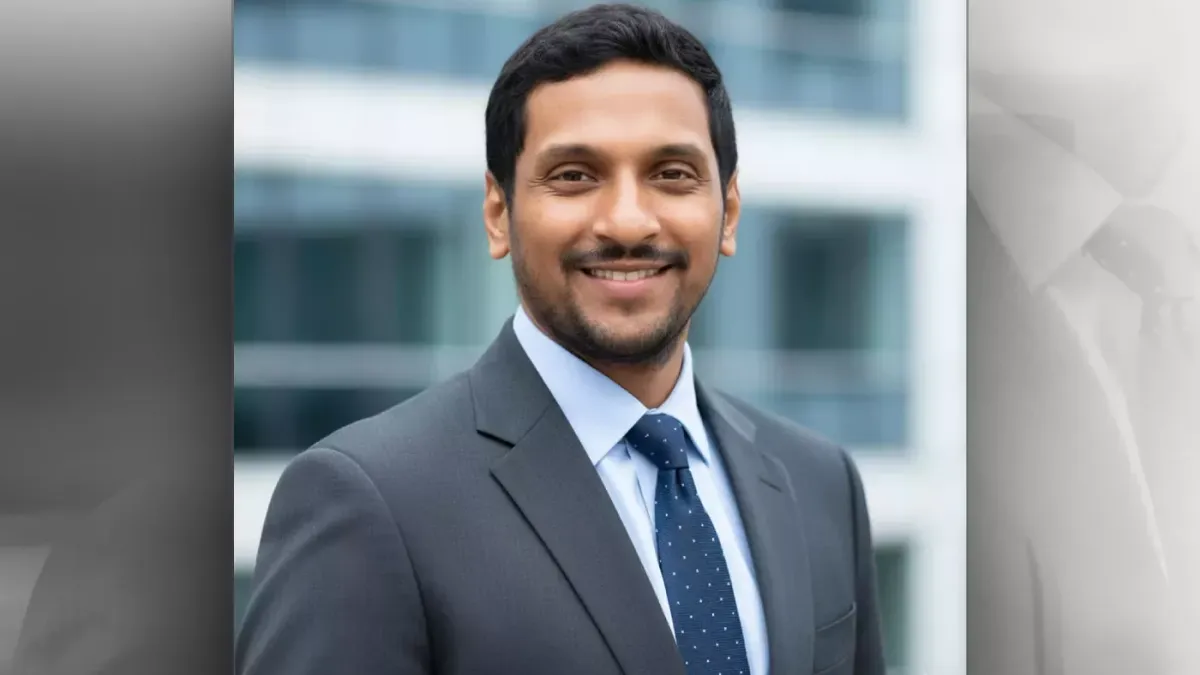
Nano Banana, an AI tool that can be easily accessed from the chat box of Google Gemini or Google AI Studio, is great at generating professional headshots for LinkedIn.
For example, here is my original headshot that I have been using for the past year. Notice that it is very plain and simple. It has a transparent background and a black shirt. You cannot see much of my body.
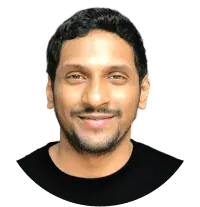
Inside Nano Banana I have uploaded this photo and then entered the following prompt:
For the uploaded picture, generate an image of:
Expression: Warm, genuine smile
Clothing: Dark gray textured suit with light blue dress shirt and navy blue tie with small dot pattern
Clothing shadows: Visible shadows under suit lapels, along tie, and in jacket fabric folds
Lighting: Soft, natural outdoor lighting from front
Facial shadows: Face evenly lit with minimal shadows
Background: Blurred outdoor corporate/office building environment (bokeh effect) with modern glass windows and architectural elements visible, blue-gray and white tones
Background shadows: Background is out of focus, no distinct shadows visible
Framing: Head and upper torso to mid-chest level
Position: Body angled slightly to left, face turned toward camera at slight angle
CRITICAL RESTRICTIONS:
- NO multiple backgrounds or layered backgrounds
- NO rounded corners or circular crops
- NO additional background colors or borders
- NO dramatic background gradients – background should be evenly lit or have only minimal, natural lighting variation
- Standard rectangular crop only
- DO NOT add shadows if none exist in the reference image
And Nano Banana generated the following picture:

The picture is not only professional, but it also looks realistic.
My colleagues couldn’t recognize that it was AI-generated.
That’s why it works perfectly as a profile picture on LinkedIn.
And I know what you might be saying (or thinking) at this point…
“The photo is great, but the prompt looks too big! … I know the look I want, but I can’t put it into words.”
Yeah! I can understand 🙂
But don’t worry.
You don’t have to be able to write big prompts to generate professional headshots like above.
You can use reference images to generate them.
Using Reference Images for generating believable LinkedIn Headshots
Reference images help when you can’t explain exactly what you want.
Instead of trying to explain “I want soft lighting from the front, a navy blazer, and a warm gray background,” you can simply show an example of the exact look you’re going for.
Let me show you how you can easily build powerful prompts like the one I shared above.
Find Your Reference Image
Look for a professional headshot you like (make sure you’re using it ethically and legally).
Let AI Describe It
Upload the reference image to an AI chatbot and ask it to describe the photo.
Generate Your Headshot
Take that AI-generated description and provide it to Nano Banana along with your own profile picture. Nano Banana will then create a similar professional headshot using your photo instead.
As a result, you get a headshot with the professional style you wanted, but with your face – no guesswork, no endless trial and error 🙂
Sounds easy?
“Yep!”
Good. Let’s get started!
Step 1: Find Your Reference Image ethically and legally
Finding the perfect reference image takes some time and effort, but it’s worth it.
But you can find excellent LinkedIn-worthy headshots on free stock photo sites like:
These sites offer professional photos you can legally use as references.
Having said that, please do read and agree with the licensing terms before using any picture.
For the purposes of this lesson, we will go with this image from Freepik:
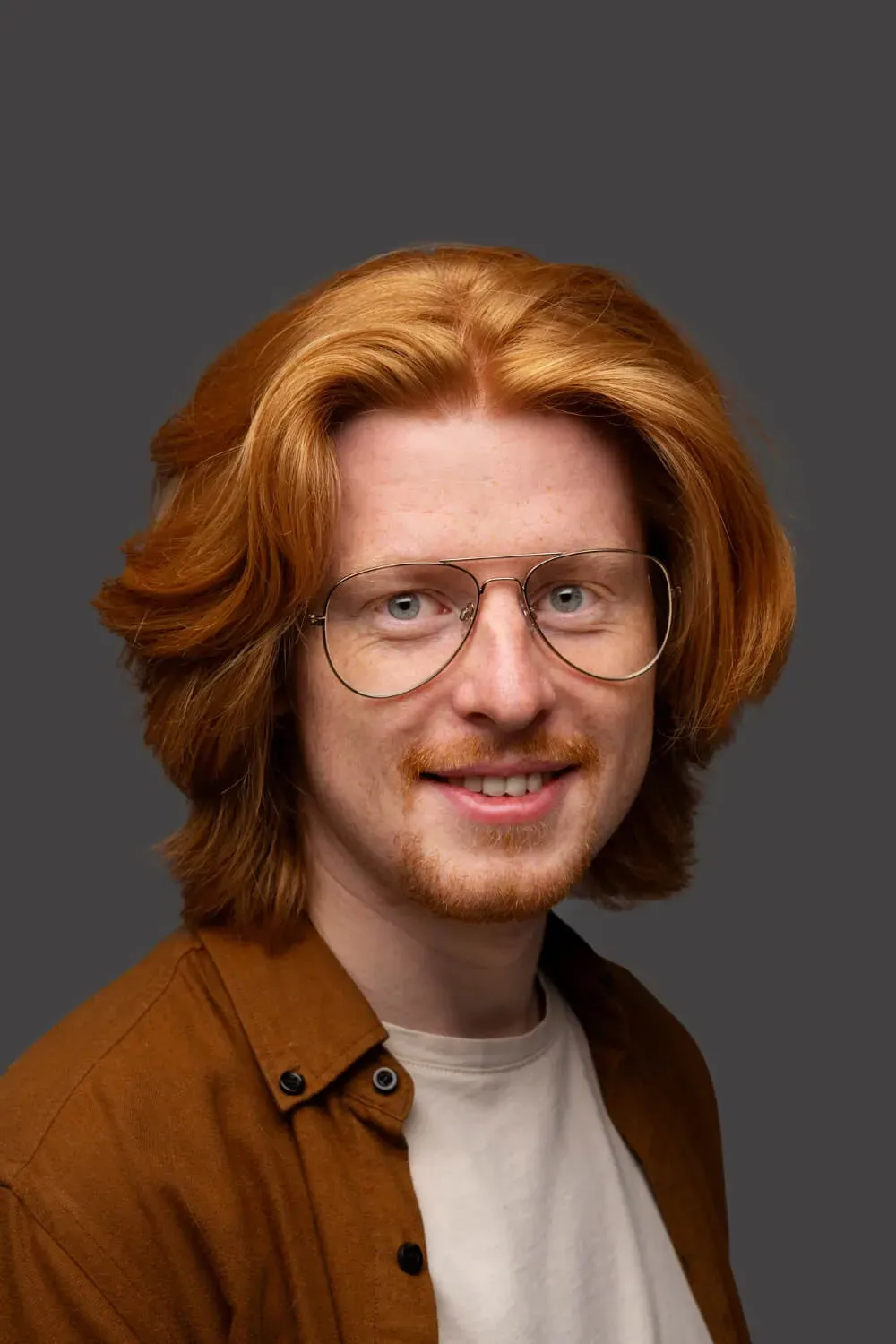
Once you have your reference image, it’s time to move to the next step.
Step 2: Upload the reference image and ask an AI model to write a prompt describing the image
Now we need to upload the reference image to an AI chatbot (Claude, Gemini, or ChatGPT) and ask it to describe the photo in detail.
I am going with Claude because I noticed it provides better image descriptions. It is a personal preference.
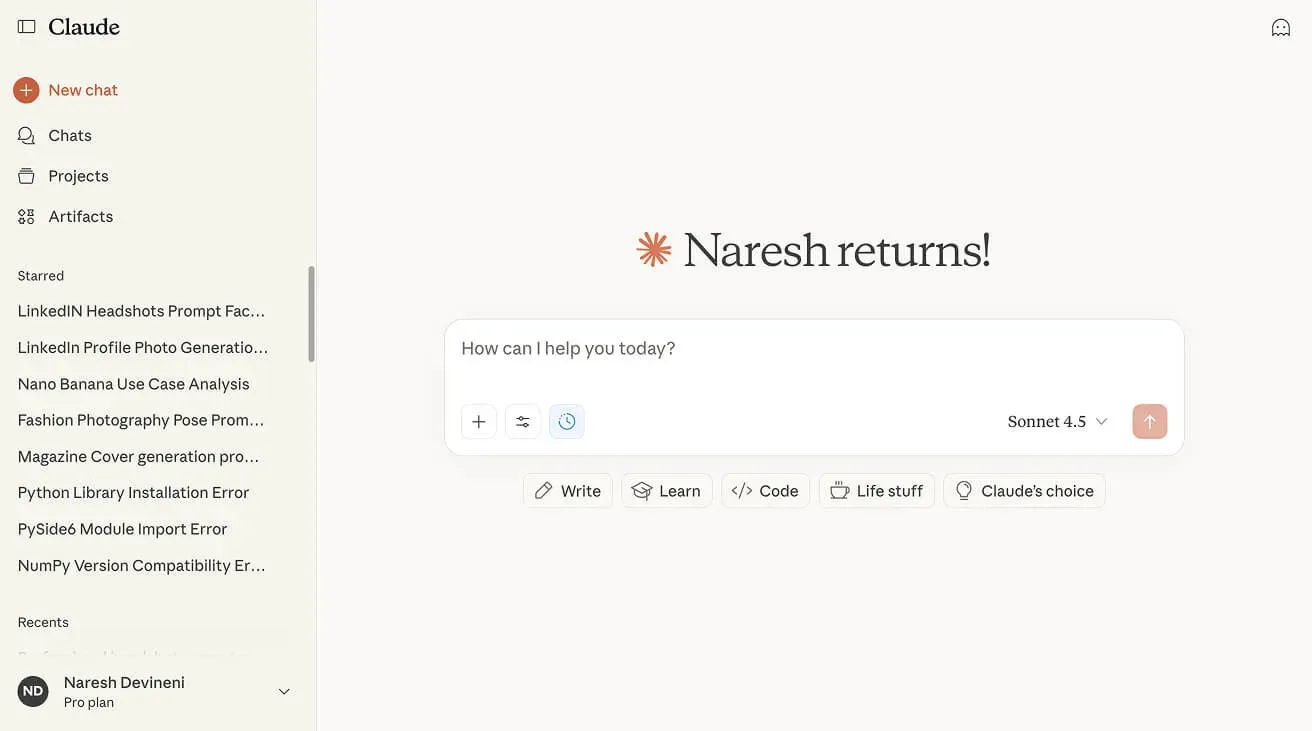
Anyway, once you are inside Claude:
- Open a new chat
- Upload your reference image
- Paste the following detailed prompt instructions
Image Prompt Generation Instructions
START YOUR RESPONSE WITH: “For the uploaded picture, generate an image of…” Analyze the reference image and create a prompt for generating similar professional headshots.
BE MINIMAL – only describe what is clearly visible.
NEVER INCLUDE: * Racial, ethnic, or skin tone descriptors * Facial features, hair details, body type, accessories, age, or gender indicators
ONLY INCLUDE WHAT’S VISIBLE:
- Expression: Simple description only (e.g., “warm smile” or “neutral expression”)
- Clothing: Describe exactly what’s worn – color, garment type, style
- Clothing shadows: Describe any visible shadows on clothing – under lapels, on collar, fabric folds, etc. Note shadow depth and softness
- Lighting: Direction and quality (e.g., “soft frontal lighting” or “three-point lighting”)
- Facial shadows: Describe any visible shadows on the face – under chin, on neck, on one side of face, etc. Note if face is evenly lit with no shadows
- Background: Exact color (with warm/cool note), brightness level. If gradient exists, specify it is VERY SUBTLE with minimal difference between center and edges. State if evenly lit or has subtle variation
- Background shadows: Only if clearly visible – describe direction and softness. If none visible, state “no background shadow”
- Framing: What’s visible (e.g., “head and shoulders” or “upper chest to top of head”)
- Position: Head/body angle relative to camera
Rules:
- 1. Describe only what you actually see – don’t infer or add details
- 2. Keep descriptions factual and minimal
- 3. Any gradients should be described as VERY SUBTLE with minimal tonal variation
END YOUR RESPONSE WITH:
- CRITICAL RESTRICTIONS:
- 1. NO multiple backgrounds or layered backgrounds
- 2. NO rounded corners or circular crops
- 3. NO additional background colors or borders
- 4. NO dramatic background gradients – background should be evenly lit or have only minimal, natural lighting variation
- 5. Standard rectangular crop only
- 6. DO NOT add shadows if none exist in the reference image
This prompt teaches the AI chatbot exactly how to describe a reference photo.
So, I want you to take some time to read it and understand it carefully.
I spent about 30 minutes writing and improving this prompt with Claude’s help. The effort was worth it because:
- It works for anyone – It doesn’t mention skin color, gender, or personal identity
- It keeps faces separate – It won’t mix the reference person’s appearance with yours
- It focuses on what really matters – Things like facial expression, what you’re wearing, photo angle, lighting, and background
- Clear and concise instructions get better results – When the instructions are specific with no fluff, any AI chatbot will create better image descriptions
Long story short:
This prompt is designed to work equally well for everyone.
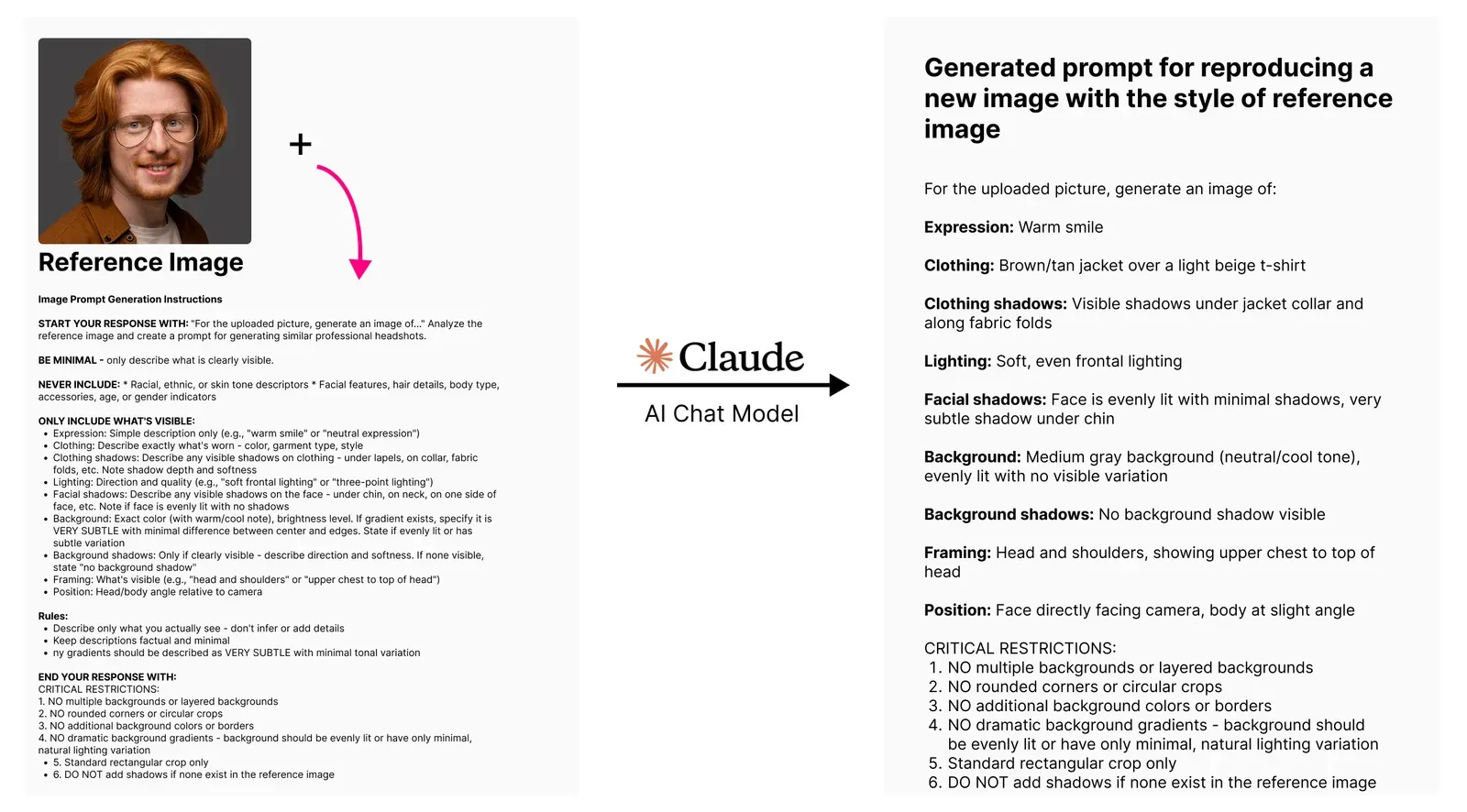
Anyway, when I uploaded the reference image with the above prompt, Claude described the photo in the following way:
For the uploaded picture, generate an image of:
Expression: Warm smile
Clothing: Brown/tan jacket over a light beige t-shirt
Clothing shadows: Visible shadows under jacket collar and along fabric folds
Lighting: Soft, even frontal lighting
Facial shadows: Face is evenly lit with minimal shadows, very subtle shadow under chin
Background: Medium gray background (neutral/cool tone), evenly lit with no visible variation
Background shadows: No background shadow visible
Framing: Head and shoulders, showing upper chest to top of head
Position: Face directly facing camera, body at slight angle
CRITICAL RESTRICTIONS:
- NO multiple backgrounds or layered backgrounds
- NO rounded corners or circular crops
- NO additional background colors or borders
- NO dramatic background gradients – background should be evenly lit or have only minimal, natural lighting variation
- Standard rectangular crop only
- DO NOT add shadows if none exist in the reference image
As you can see, This description captures all the important details I wanted from the reference image.
It’s far more descriptive than I could ever describe the image myself.
Just to recap, we’ve used a reference image to get a description of it, and it will help Nano Banana to recreate the same professional style with your photo.
Anyway, now comes the final step.
Step 3: Use the new prompt in Nano Banana (conditions apply)
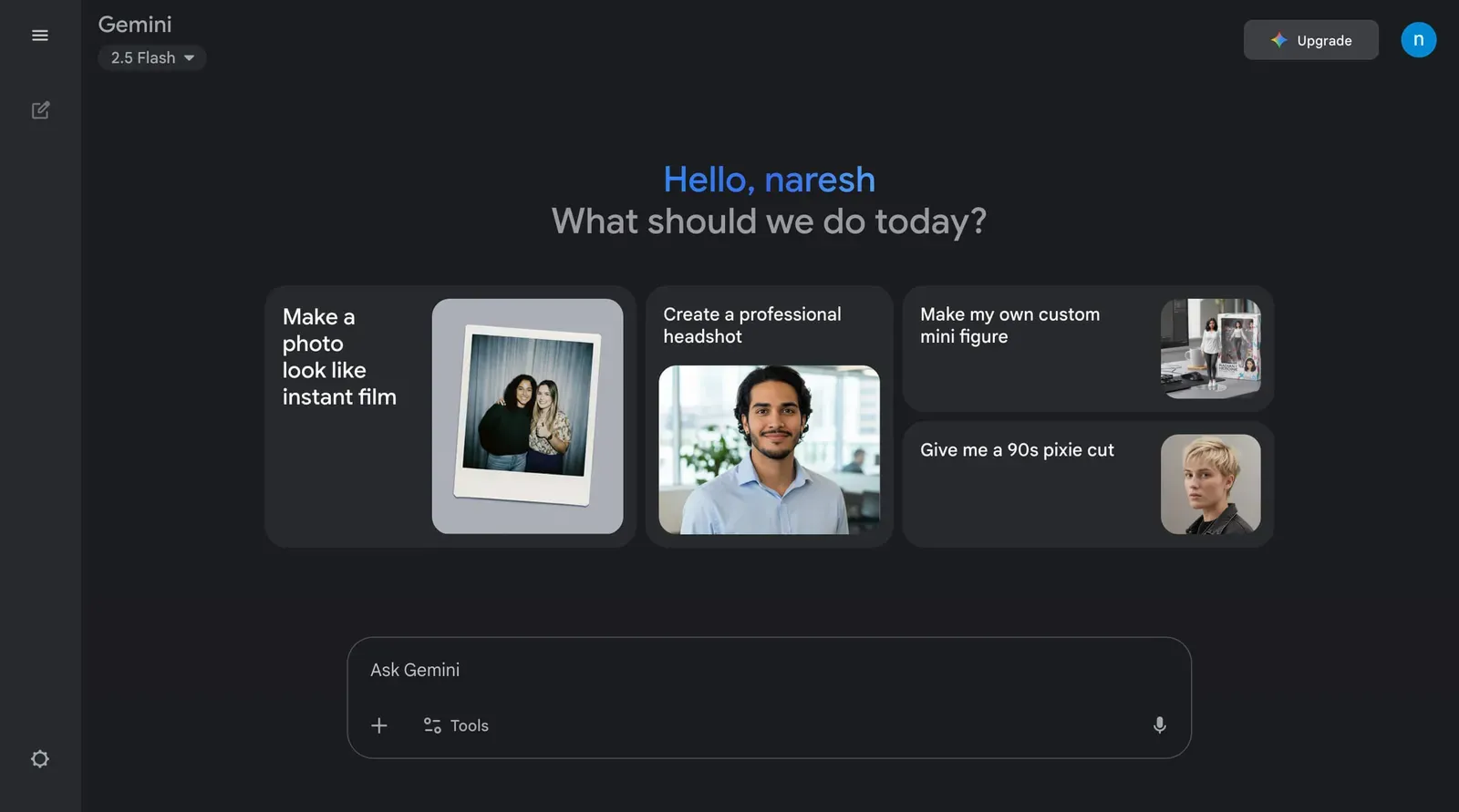
Nano Banana can be easily accessed from the chat box of Google Gemini or Google AI Studio.
So, open up a new chat in Google Gemini:
Next, find a clear photo of yourself where your face is fully visible and upload it to the chat box:
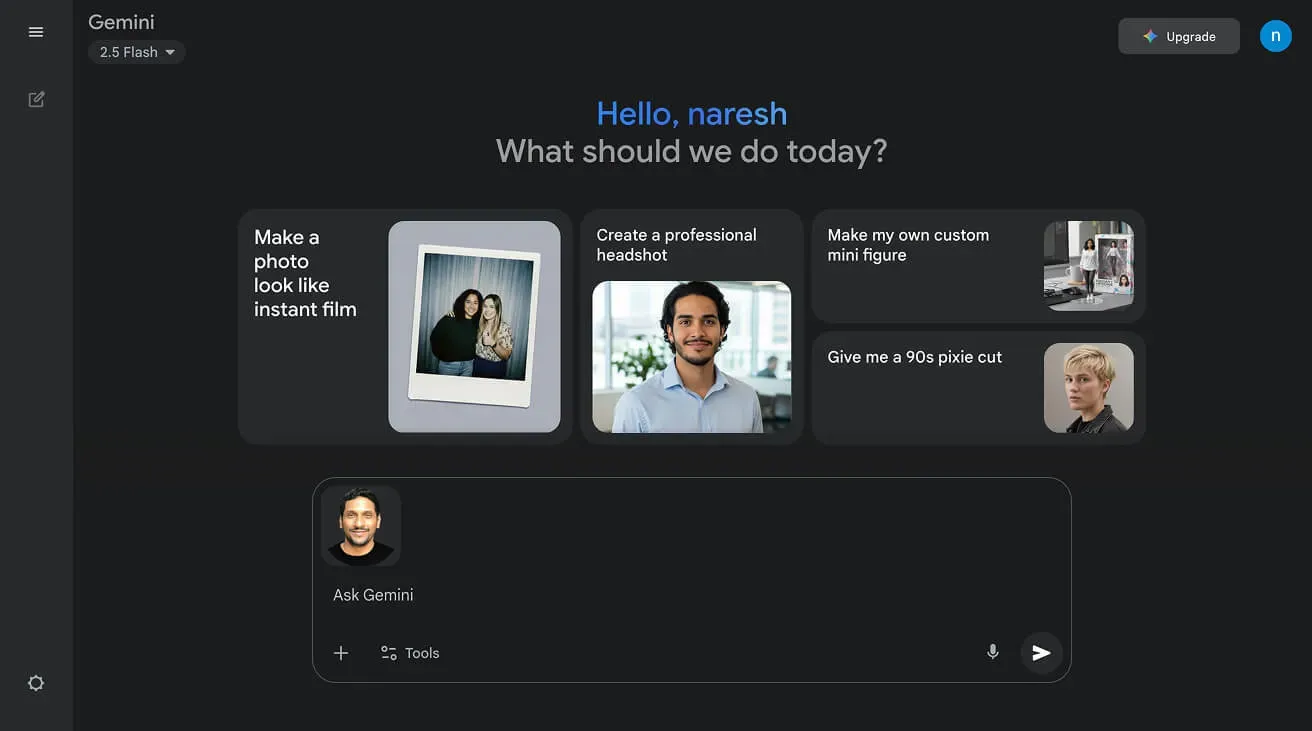
For example, I used this photo where my facial features were clearly visible:
Finally, copy the entire reference photo description that AI Model created in Step 2 and paste it into Gemini.
In my case, that was the prompt shown above with the brown/tan jacket, warm smile, etc.
For the uploaded picture, generate an image of:
Expression: Warm smile
Clothing: Brown/tan jacket over a light beige t-shirt
Clothing shadows: Visible shadows under jacket collar and along fabric folds
Lighting: Soft, even frontal lighting
Facial shadows: Face is evenly lit with minimal shadows, very subtle shadow under chin
Background: Medium gray background (neutral/cool tone), evenly lit with no visible variation
Background shadows: No background shadow visible
Framing: Head and shoulders, showing upper chest to top of head
Position: Face directly facing camera, body at slight angle
CRITICAL RESTRICTIONS:
- NO multiple backgrounds or layered backgrounds
- NO rounded corners or circular crops
- NO additional background colors or borders
- NO dramatic background gradients – background should be evenly lit or have only minimal, natural lighting variation
- Standard rectangular crop only
- DO NOT add shadows if none exist in the reference image
And here is the result Nano Banana generated:

Come on, let’s quickly analyze this result:
- The style is not identical to the reference, but the prompt captured the most important details
- Nano Banana added a smile with clean teeth while keeping my facial features and personality intact.
- The background, lighting, and framing matched the description
In short, Nano Banana can keep you as you, while changing everything else to make you look great. 😜
Fine-Tuning Your Results
Not happy with certain aspects? You can adjust the prompt!
For example, I am not happy with the big smile.
So, I will adjust the expression part of the prompt to say:
- “Slight smile”
- Or something like “Slight smile and approachable expression”
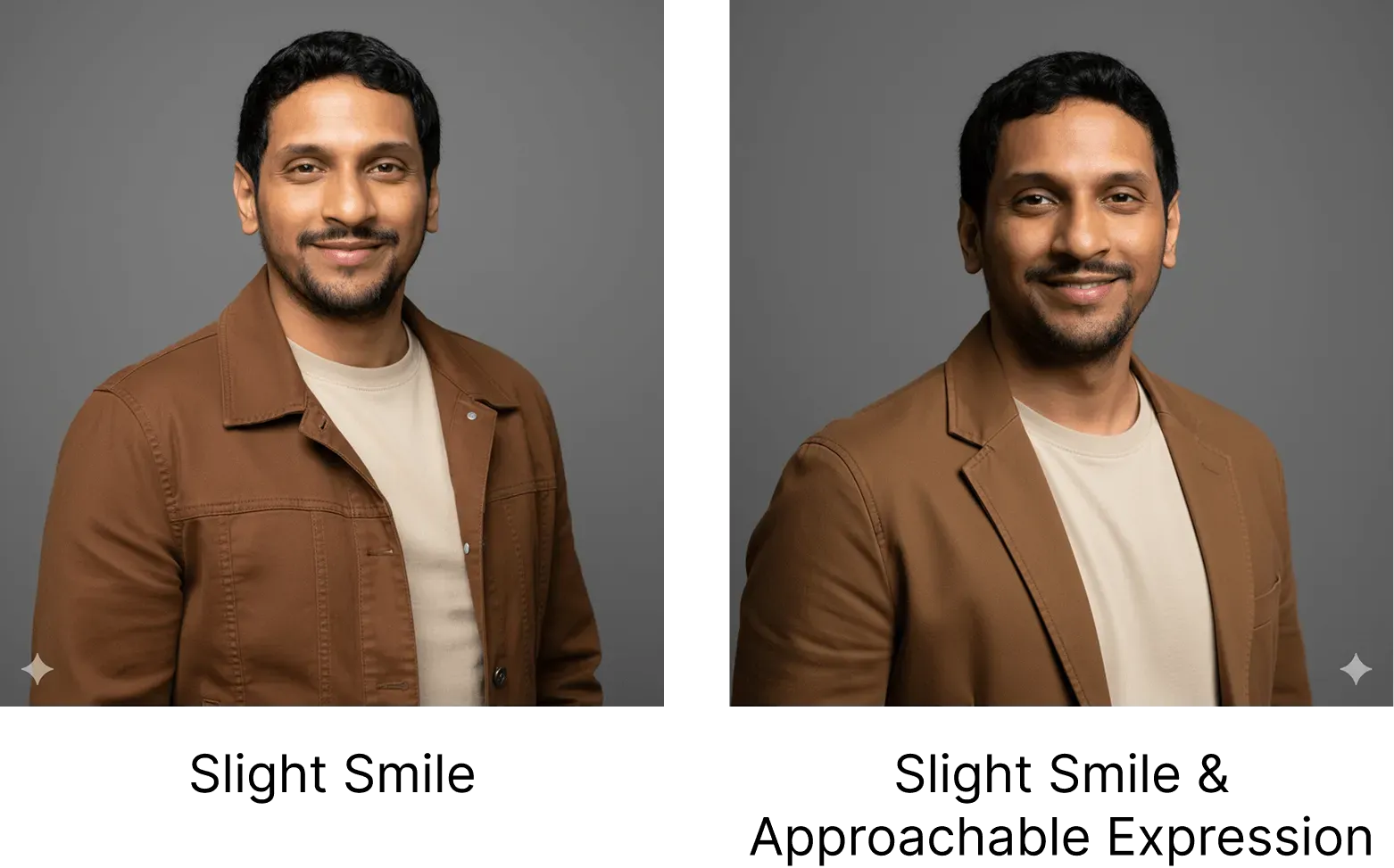
Play around with the above expression descriptors and finalize the picture you like.
You can also modify other descriptors like:
- Clothing details (different colors, styles)
- Background color (warmer, cooler, lighter, darker)
- Lighting (softer, more directional)
- Framing (closer, further away)
Play around with these descriptors until you get a result you love!
Quick Visual Summary
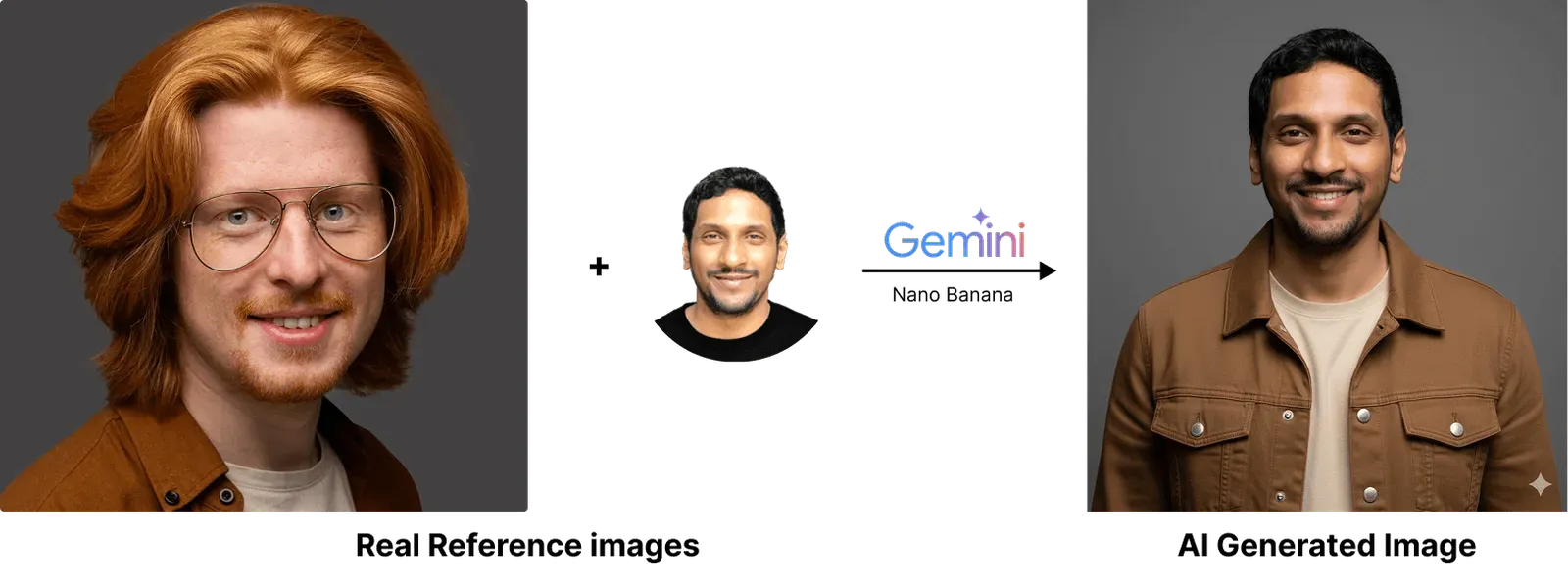
And officially, we now live in a world where AI-generated images can be hard to tell from studio photos.
This is powerful. Please use it for good. To help with ethical considerations of using AI for your professional LinkedIn headshots, I’ve created a quick guide below:
Professional Headshot Ethics
Before using AI headshots professionally:
- Check your company/industry policies on AI-generated professional photos
- Consider whether authenticity expectations in your field make AI photos inappropriate
- Always disclose when asked directly about your photos
- Understand that some professional contexts require genuine photographs
Platform Policies:
- LinkedIn: Check current terms regarding AI-generated profile photos
- Other platforms may have specific disclosure requirements
- Policies change frequently – verify current rules
When to Use Human Photographers:
- Legal or medical professionals where authenticity is crucial
- Executive positions requiring board approval
- Situations where trust and authenticity are paramount
- When budget allows supporting human creative professionals
And that’s it!
If you enjoyed this tutorial, be sure to check out my next article, 15 Ready-to-Use Nano Banana Prompts for Realistic LinkedIn Headshots, to see how I take this prompt generation strategy to the next level.
Also, be sure to check out my Nano Banana Master Class course, where I provide even more tips and tricks on working with AI prompts. I am also available for hire at Codeable.io.

We hope you enjoyed this article by Naresh Devineni, GBTI Member.
WordPress expert who loves to write helpful articles.








0 Comments
Comments are for members. Become a member to join the conversation, or if you already are.
You are signed in as a member. .